What Are Open Captions? Meaning, Examples & Complete Guide
Ever watched a video with captions you couldn’t turn off? Those are called open captions, and they’re changing how people experience videos online. Unlike closed captions, open captions are permanently embedded into the video, making dialogue and important sounds visible to everyone. But why do creators use them, and are they better for accessibility, TikTok, Instagram Reels, or YouTube Shorts? In this guide, you’ll discover what open captions are, explore 15 real-world examples, understand their benefits, and learn how they differ from closed captions. Plus, find out when and how to use them effectively in your own videos today.
Imagine watching a video on Instagram, TikTok, or YouTube without turning on the sound. You can still follow every conversation, understand important sound effects, and enjoy the message because the words appear directly on the screen.
That’s the power of open captions.
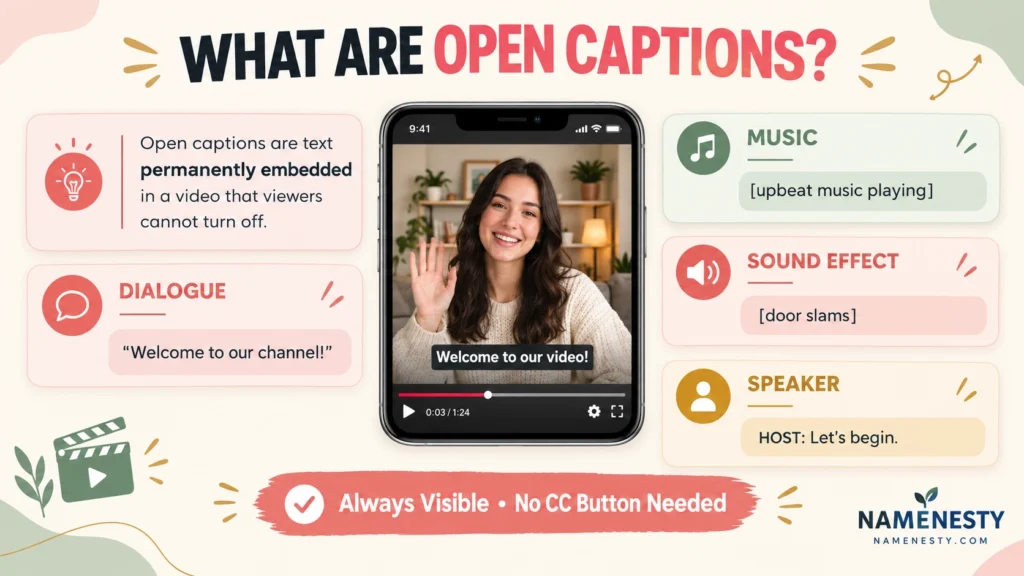
Open captions are permanently visible text added to a video to represent spoken dialogue and meaningful audio information. Unlike closed captions, viewers cannot turn them off because the text is built into the video image.
But what are open captions used for, how do they work, and are they better than closed captions?
In this guide, you’ll discover their meaning, real-world examples, advantages, limitations, accessibility best practices, and simple methods for creating them. You’ll also learn how creators use open captions across social media, educational content, advertising, and everyday video communication.
1. What Are Open Captions? Meaning and Simple Definition
Open captions are text displayed permanently on a video screen. They show spoken words and important audio cues, helping viewers understand the content without relying entirely on sound.
They are often called burned-in captions or hardcoded captions because the text becomes part of the video itself.
For example, imagine a travel video showing a busy airport. The speaker says, “Our flight has finally arrived,” while an announcement plays in the background. Open captions could display both the dialogue and the relevant announcement.
Unlike optional captions, open captions remain visible throughout the moments in which they appear.
15 Simple Open Caption Examples
- “Welcome to our channel!”
- “Today, we’re exploring something new.”
- “[upbeat music playing]”
- “This is where our adventure begins.”
- “[audience applauding]”
- “Here’s everything you need to know.”
- “Let’s discover how it works.”
- “[doorbell rings]”
- “We finally made it!”
- “The results might surprise you.”
- “[thunder rumbling]”
- “Watch what happens next.”
- “This is the moment we’ve been waiting for.”
- “[phone vibrating]”
- “Thanks for watching!”
These examples illustrate text that could be permanently embedded into a video. Actual captions should accurately reflect the audio rather than invent dialogue.
2. How Do Open Captions Work in Videos?
Open captions work by combining synchronized text with video frames during editing or export. Once the video is rendered, the captions are part of the visual content rather than a separate file.
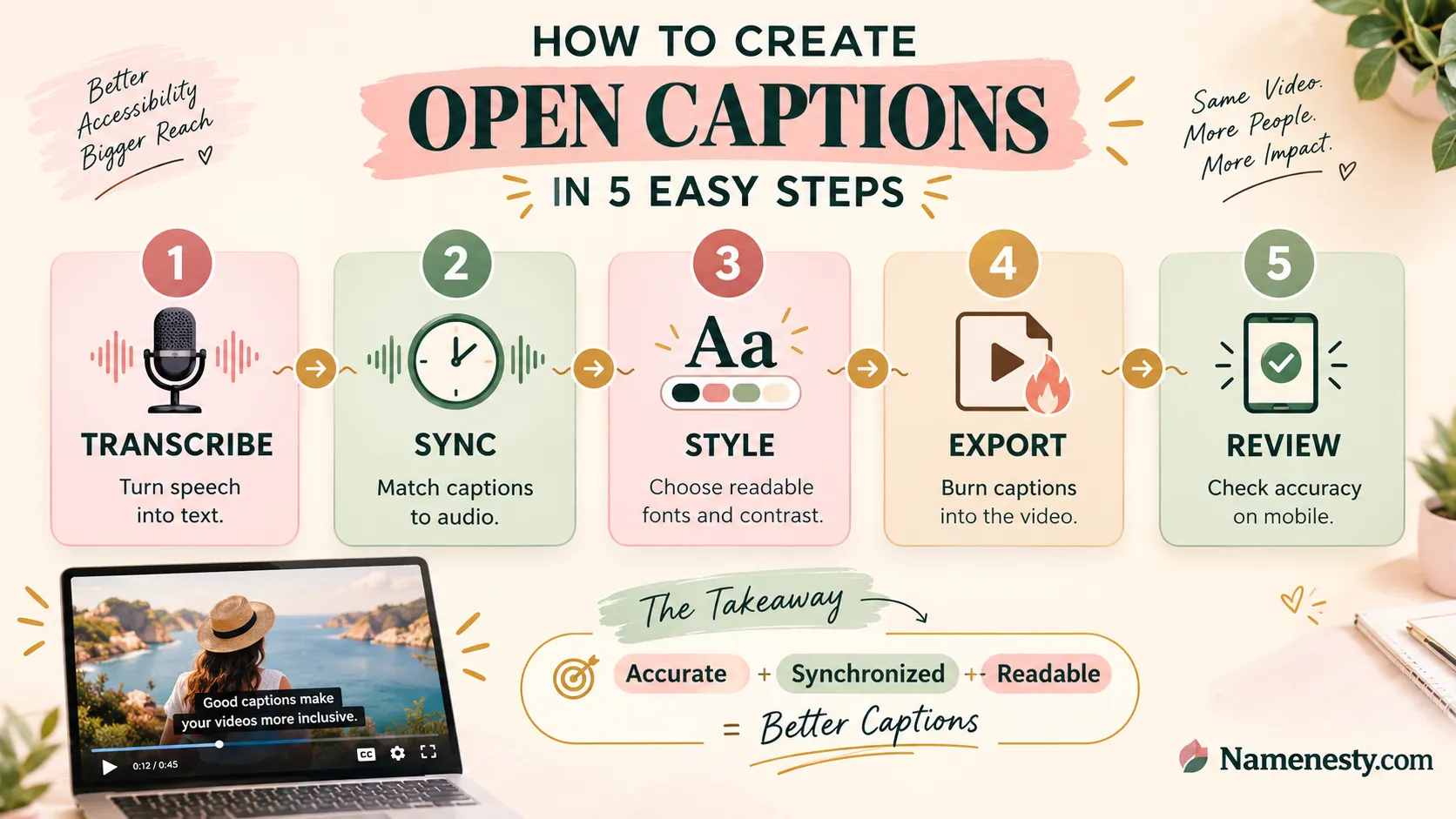
A creator typically transcribes the audio, adjusts the timing, selects a readable style, and exports a captioned version of the video.
Because the captions are permanently embedded, viewers see them regardless of whether their video player supports a CC button.
15 Examples of How Open Captions Appear
- Dialogue: “Good morning, everyone!”
- Background music: “[soft piano music]”
- Speaker identification: “HOST: Let’s begin.”
- Audience reaction: “[crowd cheering]”
- Environmental sound: “[rain falling]”
- Phone conversation: “CALLER: Can you hear me?”
- Surprise reaction: “[gasps]”
- Animal sound: “[dog barking]”
- Instruction: “Press the button to continue.”
- Announcement: “Attention, passengers.”
- Emotional delivery: “[whispering] Don’t look back.”
- Alarm: “[warning siren sounds]”
- Laughter: “[both laughing]”
- Off-screen speech: “NARRATOR: The journey continues.”
- Ending dialogue: “See you next time!”
The purpose is to communicate meaningful audio information clearly, accurately, and at the correct moment.
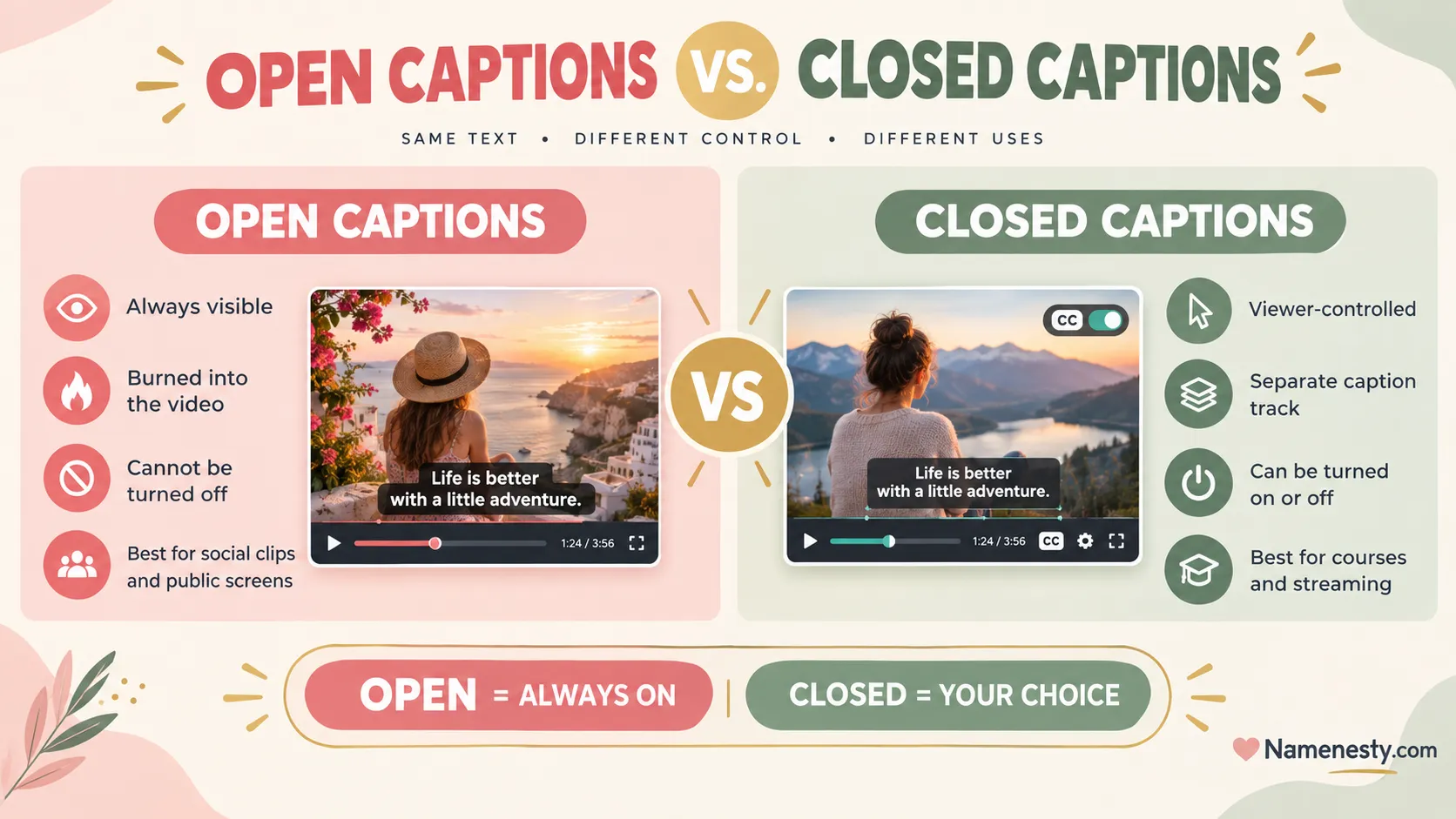
3. Open Captions vs. Closed Captions: What’s the Difference?
The biggest difference between open captions and closed captions is viewer control.
Open captions are permanently visible, while closed captions can usually be switched on or off using a video player’s settings.
Both can make videos more accessible, but they serve different viewing and publishing needs.
| Feature | Open Captions | Closed Captions |
| Visibility | Always visible | Optional |
| Viewer control | Cannot turn off | Can turn on/off |
| Storage | Video frames | Separate track or file |
| Styling | Controlled by creator | Often viewer-adjustable |
| Editing | Re-export needed | Track can often be updated |
| Multiple languages | Usually separate exports | Multiple tracks possible |
| Best uses | Social clips, signage, ads | Courses, streaming, long videos |
| Searchable text | Not inherently available | May be available to the platform |
15 Situations: Open or Closed Captions?
- Instagram Reel with spoken advice — open captions can be convenient.
- Long YouTube tutorial — closed captions offer flexibility.
- Silent restaurant advertisement — open captions are useful.
- Online university lecture — closed captions are generally preferable.
- TikTok storytelling clip — open captions can suit the visual style.
- Multilingual documentary — multiple closed-caption or subtitle tracks offer flexibility.
- Public waiting-room screen — open captions ensure visibility.
- Corporate webinar recording — closed captions are easier to maintain.
- Product demonstration in a silent feed — open captions are useful.
- Streaming television program — closed captions support viewer preferences.
- Short promotional video — open captions can preserve branding.
- Online certification course — closed captions support customization.
- Trade-show presentation — open captions help in noisy spaces.
- International training video — selectable language tracks are useful.
- Social media campaign — a combination of open captions and separate caption files may work best.
Key takeaway: Choose open captions when guaranteed visibility matters most. Choose closed captions when viewer flexibility, updates, or multiple language tracks are important.
4. Open Captions Examples: 15 Real-Life Uses Explained
Open captions are not limited to social media. They are used in education, entertainment, business communication, public spaces, and accessible video presentations.
Their value becomes especially clear when audio is unavailable, difficult to hear, or inappropriate to play aloud.
Here are 15 realistic situations with examples of the captions a viewer might see.
15 Real-World Open Caption Examples
- Instagram tutorial: “Here’s how to edit your first video.”
- TikTok recipe: “Add two tablespoons of olive oil.”
- YouTube Short: “Three mistakes beginners should avoid.”
- Travel vlog: “We finally arrived in Paris!”
- Fitness video: “Keep your shoulders relaxed.”
- Cooking demonstration: “[oil sizzling in pan]”
- Online advertisement: “Our new collection launches Friday.”
- School lesson: “Photosynthesis converts light into chemical energy.”
- Corporate training: “Always verify customer information.”
- Movie screening: “[suspenseful music intensifies]”
- News interview: “REPORTER: What happened next?”
- Product review: “The battery lasted approximately eight hours.”
- Museum exhibition: “This sculpture was created in 1892.”
- Public information video: “Please follow the emergency exit signs.”
- Documentary: “NARRATOR: The forest changes with every season.”
These examples demonstrate how open captions communicate information across different environments.
5. Why Are Open Captions Important for Video Accessibility?
Open captions can help people who are deaf or hard of hearing access spoken information and meaningful sounds. They also benefit people watching videos in noisy environments, quiet spaces, or situations where audio cannot be played.
Accessibility depends on more than simply displaying words. Captions should be accurate, synchronized, complete, and readable.
15 Accessibility-Focused Caption Examples
- “[door opens slowly]”
- “TEACHER: Please turn to page twenty.”
- “[students laughing]”
- “NARRATOR: The experiment begins now.”
- “[emergency alarm sounding]”
- “DOCTOR: Your appointment is scheduled for Monday.”
- “[gentle instrumental music]”
- “INTERVIEWER: Could you explain your experience?”
- “[crowd murmuring]”
- “GUIDE: The entrance is on your left.”
- “[footsteps approaching]”
- “PRESENTER: Let’s review the final results.”
- “[baby crying]”
- “ANNOUNCER: The train is approaching platform three.”
- “[music fades out]”
Captions should include non-speech sounds when those sounds contribute to understanding the content.
Open captions do not automatically satisfy every accessibility requirement. Viewer customization, caption quality, audio description, and applicable standards should also be considered.
For authoritative guidance, consult the W3C Web Accessibility Initiative.
6. What Are the Benefits of Open Captions for Viewers and Creators?
Open captions make video content easier to follow without requiring viewers to adjust playback settings. For creators, they provide consistent visual presentation and ensure that essential spoken information remains visible.
They can be particularly useful for short videos, advertisements, educational clips, and content viewed without sound.
15 Benefits of Open Captions With Practical Examples
- Silent viewing: A commuter understands a tutorial without playing audio.
- Immediate visibility: A viewer sees spoken dialogue without enabling captions.
- Accessibility: A deaf viewer can follow the conversation.
- No caption controls needed: Text appears even on a player without caption settings.
- Consistent typography: A creator uses the same caption font across every video.
- Clearer instructions: A fitness instructor’s spoken directions appear on screen.
- Noisy environments: A viewer follows an interview in a busy café.
- Public displays: Visitors understand a museum video without headphones.
- Brand recognition: A business maintains consistent caption colors and positioning.
- Educational support: Students can read along with a spoken explanation.
- Speech comprehension: Viewers can follow unfamiliar terminology more easily.
- Social media usability: A Reel communicates its message even when muted.
- Video distribution: Burned-in captions remain visible when a file is shared.
- Product demonstrations: Buyers can follow spoken features and instructions.
- Communication clarity: Important dialogue is reinforced through readable text.
Open captions may support engagement and comprehension, but their effectiveness depends on caption quality, content relevance, and audience preferences.
7. What Are the Disadvantages of Open Captions?
Although open captions offer useful benefits, they also have limitations. Because the text is permanently embedded, viewers cannot hide it, change its appearance, or select another caption language from the same video file.
Creators must also pay attention to placement, accuracy, and visual design to prevent captions from interfering with important content.
15 Common Open Caption Problems and Their Solutions
- Captions cover a face. Move the text into a clear area of the frame.
- Text is too small. Increase font size and test on mobile.
- Captions disappear too quickly. Adjust timing to support comfortable reading.
- Low contrast makes words difficult to read. Use a high-contrast text treatment.
- A spelling mistake appears after publishing. Correct the editing project and export again.
- Viewers cannot turn captions off. Provide a caption-free version when appropriate.
- The video needs another language. Export a translated version or provide selectable tracks.
- Captions overlap platform buttons. Keep text within the platform’s safe viewing area.
- Too many words appear together. Break the text into readable segments.
- Captions do not match the speech. Correct transcription and synchronization.
- Music descriptions are missing. Include meaningful non-speech audio information.
- A distracting animation reduces readability. Use simpler caption transitions.
- The caption style conflicts with the video. Prioritize readability over decoration.
- Text is unavailable as a separate transcript. Publish an accessible text version.
- The viewer needs larger captions. Offer closed captions where possible.
The most effective approach is to balance accessibility, readability, design, and viewer choice.
8. When Should You Use Open Captions Instead of Closed Captions?
Open captions are especially useful when captions must remain visible regardless of device, player settings, or viewing environment.
They are often suitable for short social media clips, public displays, and promotional videos. Closed captions may be better for long-form content, multilingual audiences, and situations requiring viewer customization.
15 Best Use Cases for Open Captions
- Instagram Reels: Short spoken tutorials designed for mobile viewing.
- TikTok videos: Storytelling clips with clearly visible dialogue.
- YouTube Shorts: Quick explanations or educational demonstrations.
- Facebook videos: Short announcements shared in social feeds.
- Snapchat videos: Brief spoken updates and visual stories.
- Pinterest video Pins: Tutorials that need to make sense without sound.
- Product advertisements: Promotional messages viewed in muted feeds.
- Retail displays: Videos playing without audio inside stores.
- Conference screens: Presentations displayed in noisy exhibition halls.
- Restaurant screens: Promotional videos running without speakers.
- Museum installations: Educational videos shown to public visitors.
- Real estate tours: Property explanations for social media audiences.
- Fitness demonstrations: Short clips explaining exercise techniques.
- Recipe videos: Cooking instructions that remain understandable without sound.
- Event announcements: Short promotional clips shared across platforms.
Quick Caption Selection Framework
| Your Goal | Recommended Approach | Reason |
| Guaranteed on-screen captions | Open captions | Always visible |
| Viewer-controlled captions | Closed captions | Can be enabled or disabled |
| Multiple language options | Closed-caption or subtitle tracks | Easier language selection |
| Silent public display | Open captions | No player controls needed |
| Long educational content | Closed captions | Flexible and easier to update |
| Branded social clips | Open captions, optionally paired with caption tracks | Consistent visual presentation |
| Search-friendly video content | Captions plus a transcript | Provides accessible text beyond video pixels |
Simple rule: If viewers must always see the captions, open captions are a practical choice. If viewers should control how captions appear, closed captions are generally more suitable.
9. How to Create Open Captions for Videos: Step-by-Step Guide
Creating open captions involves transcribing the audio, matching the text to the video timeline, designing readable captions, and exporting them as part of the video.
You can do this using video editing software or captioning tools that support burned-in text.
Step-by-Step Workflow
Step 1: Upload your video. Open your editing software and import the video you want to caption.
Step 2: Generate a transcript. Use automatic speech recognition or manually type the dialogue.
Step 3: Correct the text. Check names, grammar, punctuation, and technical terms against the audio.
Step 4: Add meaningful sound cues. Include important music, speaker changes, and non-speech sounds.
Step 5: Synchronize the captions. Align each caption segment with the corresponding audio.
Step 6: Choose readable styling. Select a clear font, suitable size, and strong contrast.
Step 7: Check placement. Avoid faces, important graphics, and areas covered by platform controls.
Step 8: Export with captions burned in. Ensure the exported video includes the text as part of the picture.
Step 9: Review the exported file. Check timing, spelling, visibility, and readability.
Step 10: Publish and provide additional caption options when appropriate.
15 Sample Caption Lines for a Tutorial Video
These sample lines demonstrate how an instructional video’s spoken dialogue could appear as open captions.
- “Welcome to today’s tutorial.”
- “First, open your video editor.”
- “Import the video you want to caption.”
- “Select the transcription feature.”
- “Generate captions from your audio.”
- “Review every line for accuracy.”
- “Correct any spelling mistakes.”
- “Adjust the timing of each caption.”
- “Choose a clean, readable font.”
- “Add contrast behind the text.”
- “Keep captions away from important visuals.”
- “Preview your video on a mobile screen.”
- “Export the video with captions included.”
- “Watch the final file before uploading.”
- “Your open-captioned video is ready!”
Caption Readability Checklist
- Use accurate words and punctuation.
- Match the text to the audio.
- Include meaningful sounds and speaker information.
- Use clear, readable typography.
- Maintain sufficient text contrast.
- Avoid excessive animation.
- Keep captions within safe display areas.
- Test the final export on a small screen.
For accessibility, accuracy and synchronization are more important than decorative effects.
10. Best Tools and Apps for Adding Open Captions to Videos
Several video editing and captioning tools can help creators produce permanently captioned videos. The best option depends on your editing experience, budget, video length, and need for transcription accuracy.
Some tools generate automatic captions, while others provide detailed manual control over timing and typography. Always verify that your export method actually burns the captions into the video.
Popular Captioning Tools
| Tool | Common Use | Why Consider It |
| CapCut | Social media videos | Automatic captions and visual styling |
| Adobe Premiere Pro | Professional video editing | Caption editing and export controls |
| DaVinci Resolve | Video production | Timeline-based editing and caption workflows |
| Descript | Spoken-content editing | Transcript-based editing |
| VEED | Browser-based editing | Caption generation and styling |
| Kapwing | Social content | Browser-based captioning workflows |
| Final Cut Pro | Mac video editing | Professional caption workflows |
Features, subscription requirements, and export capabilities vary by software version and plan.
15 Caption Styling Ideas for Different Video Types
- Educational video: White text with a dark background.
- Lifestyle vlog: Clean sans-serif text with subtle shadow.
- Fitness tutorial: Bold captions positioned away from the instructor.
- Cooking video: High-contrast captions above the ingredient area.
- Travel documentary: Simple captions with unobtrusive styling.
- Interview: Speaker identification with consistent typography.
- Product review: Readable captions that avoid covering the product.
- Business presentation: Professional typography with restrained colors.
- Motivational video: Large, clear text without distracting animation.
- News video: Consistent placement and clear speaker labels.
- Comedy clip: Accurate dialogue with appropriately timed sound cues.
- Fashion Reel: Minimal captions that do not obscure outfits.
- Podcast clip: Clear dialogue captions with speaker differentiation.
- Real estate tour: Captions positioned away from property features.
- Public information video: Strong contrast and straightforward text presentation.
Styling should support comprehension rather than compete with the video.
- Explore More: https://namenesty.com/how-to-write-captions/
11. How to Use Open Captions on TikTok, Instagram Reels, and YouTube Shorts
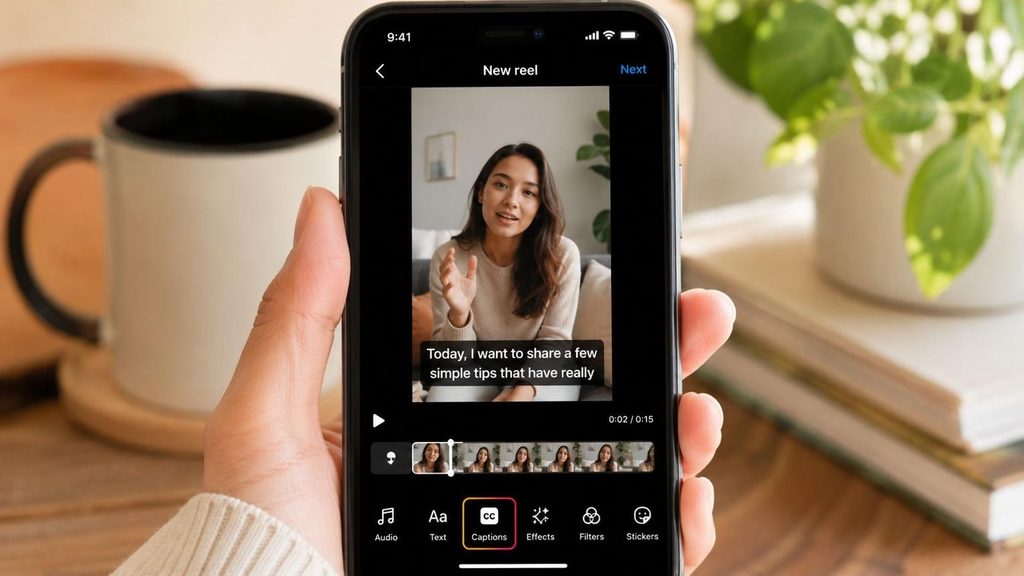
Short-form videos are often consumed while viewers are scrolling quickly. Open captions can help communicate spoken information without requiring viewers to enable audio or caption settings.
However, social platforms have different interfaces, aspect ratios, and text placement restrictions. Captions should remain readable without covering essential visuals or interactive controls.
TikTok
Use synchronized captions for spoken hooks, storytelling, tutorials, and demonstrations. Keep the text clear of interface overlays.
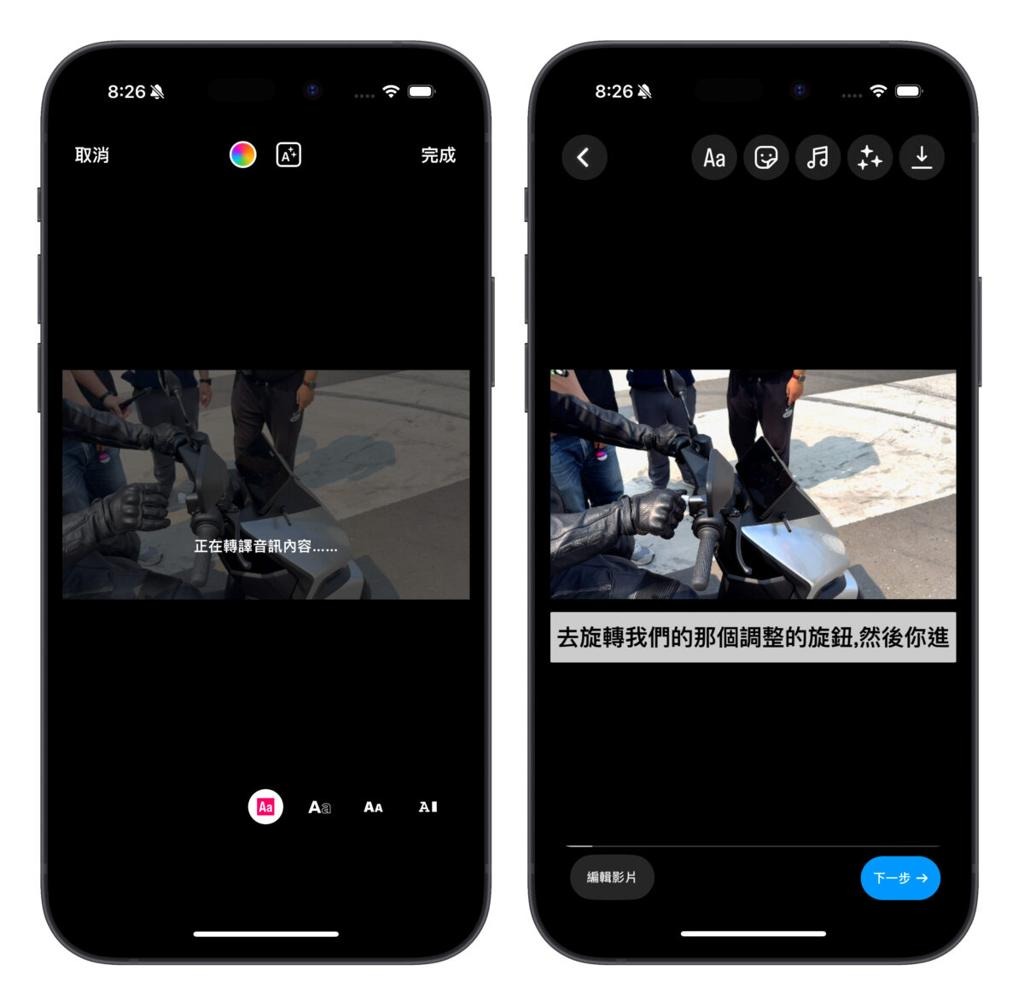
Instagram Reels
Use consistent styling, readable dialogue, and careful positioning so captions do not cover important visuals.
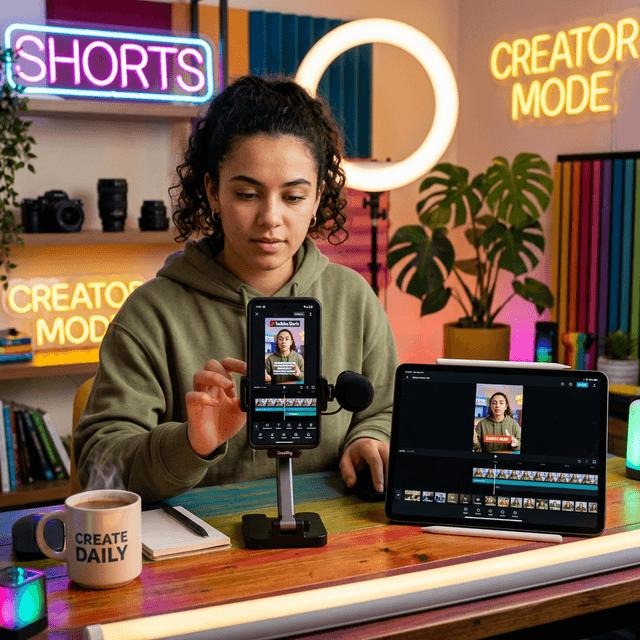
YouTube Shorts
Burned-in captions can provide a consistent visual experience. Add separate caption tracks when supported to give viewers more flexibility.
15 Open Caption Examples for Social Media Videos
- TikTok tip: “Here’s the trick nobody explained to me.”
- Instagram Reel: “Three things I wish I knew earlier.”
- YouTube Short: “Let’s solve this in under a minute.”
- Facebook tutorial: “Follow these steps to get started.”
- Snapchat story: “You won’t believe what happened today.”
- Pinterest tutorial: “Start by choosing your materials.”
- Threads video: “Here’s my perspective on this topic.”
- Travel Reel: “We found a beautiful hidden beach.”
- Fitness clip: “Keep your back straight during this movement.”
- Food video: “[knife chopping vegetables]”
- Comedy video: “[both burst into laughter]”
- Fashion video: “This outfit works for casual weekends.”
- Business Reel: “Here’s how our service works.”
- Educational Short: “Let’s explain this with one example.”
- Personal story: “That experience completely changed my perspective.”
These are sample dialogue captions, not generic social media post descriptions. Use them only when they match the actual speech or sounds in your video.
12. Open Captions vs. Subtitles: Key Differences Explained
Subtitles can also be open or closed, depending on whether they are permanently embedded or selectable.
| Feature | Open Captions | Traditional Dialogue Subtitles |
| Primary purpose | Communicate spoken and meaningful audio information | Represent or translate speech |
| Speaker identification | Included when necessary | Depends on format |
| Sound effects | Included when meaningful | Often omitted |
| Viewer control | Always visible | May be selectable or burned in |
| Language | Often matches spoken language | May match or translate speech |
15 Examples Showing the Difference
- Caption: “[door slams]” — communicates an important sound.
- Subtitle: “Good morning!” — translates or transcribes speech.
- Caption: “HOST: Welcome to the show.” — identifies a speaker.
- Subtitle: “Bonjour!” translated as “Hello!”
- Caption: “[tense music playing]” — describes audio atmosphere.
- Subtitle: “Where are you going?” — displays dialogue.
- Caption: “[audience applauds]” — communicates audience reaction.
- Subtitle: “I will be there tomorrow.” — displays speech.
- Caption: “[phone ringing repeatedly]” — describes a relevant sound.
- Subtitle: “Please wait outside.” — displays dialogue.
- Caption: “[whispering] Be careful.” — includes vocal delivery.
- Subtitle: “Thank you for your help.” — displays spoken words.
- Caption: “[engine struggles to start]” — conveys sound information.
- Subtitle: “The meeting begins at noon.” — displays dialogue.
- Caption: “NARRATOR: The story begins in winter.” — identifies off-screen speech.
A video may use burned-in translated subtitles without providing full captions. For accessibility, meaningful sound cues and speaker information should also be included when needed.
13. Open Captions for Accessibility: WCAG Guidelines and Best Practices
Open captions can support inclusive video communication, but accessibility requires careful attention to accuracy, synchronization, completeness, and readability.
The Web Content Accessibility Guidelines (WCAG) address captioning for prerecorded and live synchronized media. For example, WCAG 2.2 Success Criterion 1.2.2 requires captions for prerecorded audio in synchronized media at Level A, subject to its stated exception.
Open captions can help meet captioning needs when they are complete and accurate, but permanently visible text alone does not guarantee overall accessibility compliance.
15 Best Practices for Accessible Open Captions
- Accurate dialogue: Reproduce spoken words faithfully.
- Correct timing: Display text in synchronization with the audio.
- Speaker identification: Use labels such as “HOST:” when needed for clarity.
- Meaningful sound effects: Include cues such as “[glass breaking]”.
- Music descriptions: Identify relevant music and changes in audio mood.
- Readable fonts: Choose simple typography without excessive decoration.
- Strong contrast: Make text distinguishable from changing backgrounds.
- Comfortable reading speed: Allow viewers enough time to understand the text.
- Logical line breaks: Divide dialogue into natural, readable phrases.
- Consistent placement: Avoid unnecessary movement of caption positions.
- Mobile readability: Test captions on small screens.
- Visual safety: Keep captions away from important on-screen information.
- Language accuracy: Verify spelling, names, and technical terminology.
- Human review: Correct errors introduced by automatic transcription.
- Alternative formats: Provide transcripts or selectable captions when appropriate.
Important Accessibility Considerations
Open captions are particularly useful in environments where viewers cannot access caption controls. However, they have an important limitation: viewers generally cannot customize the caption font, size, or position.
Where possible, offering closed captions alongside an accessible transcript can provide greater flexibility.
Authoritative reference: Web Content Accessibility Guidelines (WCAG) 2.2.
14. Do Open Captions Improve Video SEO, Engagement, and Watch Time?
Open captions may help viewers understand videos when audio is unavailable, which can support a better viewing experience.
However, it is important to distinguish potential engagement benefits from direct search engine optimization benefits.
Because open captions are embedded in video frames, they do not automatically provide search engines with a separate, machine-readable transcript.
Search engines and platforms may analyze video content using different technologies, but creators should not assume that burned-in text will be indexed like ordinary webpage text.
How Open Captions Can Support Video Performance
| Factor | Potential Benefit | Important Limitation |
| Accessibility | Makes audio information visible | Accuracy and completeness still matter |
| Silent viewing | Helps viewers understand muted videos | Does not guarantee more views |
| Engagement | May reduce confusion | Performance depends on content |
| Watch time | May help viewers follow the video | No guaranteed improvement |
| Brand consistency | Preserves caption styling | Limits viewer customization |
| Video SEO | Supports user experience | Burned-in text is not a substitute for transcripts |
| Multilingual reach | Can display translated text | Separate exports may be required |
15 Practical Examples of Captioning for Better Video Communication
- Tutorial: “Step one: open your settings.”
- Product demo: “The device connects through Bluetooth.”
- Educational clip: “Let’s understand the difference.”
- Interview: “GUEST: My first job was in publishing.”
- Fitness video: “Exhale as you lift the weight.”
- Cooking tutorial: “Bake for twenty minutes.”
- Travel guide: “The museum opens at nine.”
- Marketing video: “Our service is available nationwide.”
- Business presentation: “Revenue increased during the second quarter.”
- News report: “REPORTER: Officials announced the decision today.”
- Documentary: “[waves crashing against the rocks]”
- Fashion tutorial: “Pair the jacket with neutral trousers.”
- Software walkthrough: “Click the export option.”
- Podcast clip: “HOST: What inspired your decision?”
- Customer testimonial: “CUSTOMER: The installation was straightforward.”
These examples are effective when they accurately reflect the audio and communicate useful information.
- Explore More: https://namenesty.com/what-is-a-social-caption/
Video SEO Checklist
For a stronger publishing strategy, combine well-produced video captions with:
- Descriptive video titles that match search intent.
- Accurate transcripts on webpages where appropriate.
- Separate SRT or WebVTT caption tracks when supported.
- Relevant descriptions and chapters.
- Clear thumbnails and accessible video players.
- Appropriate VideoObject structured data on eligible webpages.
Key insight: Open captions are primarily a viewing and accessibility feature. Transcripts, metadata, and selectable caption tracks can provide additional discoverability and accessibility benefits.
15.People Also Ask About Open Captions
Open captions are text permanently displayed on a video to communicate spoken words and meaningful sounds. Viewers cannot switch them off because the captions are part of the video image.
In a video, text such as “Welcome to our presentation” or “[audience applauding]” is an example of caption content. It becomes an open caption when permanently embedded in the video.
Open captions are always visible. Closed captions are usually stored separately and can be enabled or disabled by viewers.
No. Viewers cannot turn off captions that have been burned into the video. The creator must edit or replace the video to remove them.
Not exactly. Open describes permanent visibility, while subtitles generally represent dialogue, often in another language. Subtitles can also be permanently embedded.
Yes, when they accurately communicate dialogue and important sounds. However, open captions alone do not guarantee that a video meets every accessibility requirement.
How to Choose the Right Captions for Your Video
Before selecting a captioning method, consider your audience, platform, accessibility needs, and publishing goals.
Find the best caption format for your video
Choose your publishing format and most important requirement.
Where will you publish?
TikTok, Reels, Shorts, or social clips
YouTube tutorials, courses, or webinars
Public displays, signage, or advertisements
What matters most?
Captions must always be visible
Viewers need caption controls
Multiple languages are required
Recommended: Open captions, with separate captions where supported
Burned-in captions ensure text remains visible. A separate caption track can add viewer choice and accessibility flexibility.
Conclusion: What Are Open Captions and Why Do They Matter?
Open captions are permanently embedded text that makes spoken dialogue and meaningful audio information visible throughout a video. They cannot be turned off, which makes them useful for silent viewing, social media clips, public displays, and other environments where captions need to appear automatically.
Their biggest advantage is guaranteed visibility. Their main limitation is the lack of viewer control.
For short-form videos, open captions can be a practical choice. For longer content, multilingual publishing, or videos requiring greater accessibility customization, closed captions and transcripts may be more suitable.
The best captioning strategy prioritizes accurate information, clear presentation, accessibility, and audience needs—not simply the appearance of text on screen.
Bookmark this guide whenever you need to choose between open captions, closed captions, and subtitles.


2 thoughts on “What Are Open Captions? Meaning, Uses & Benefits”