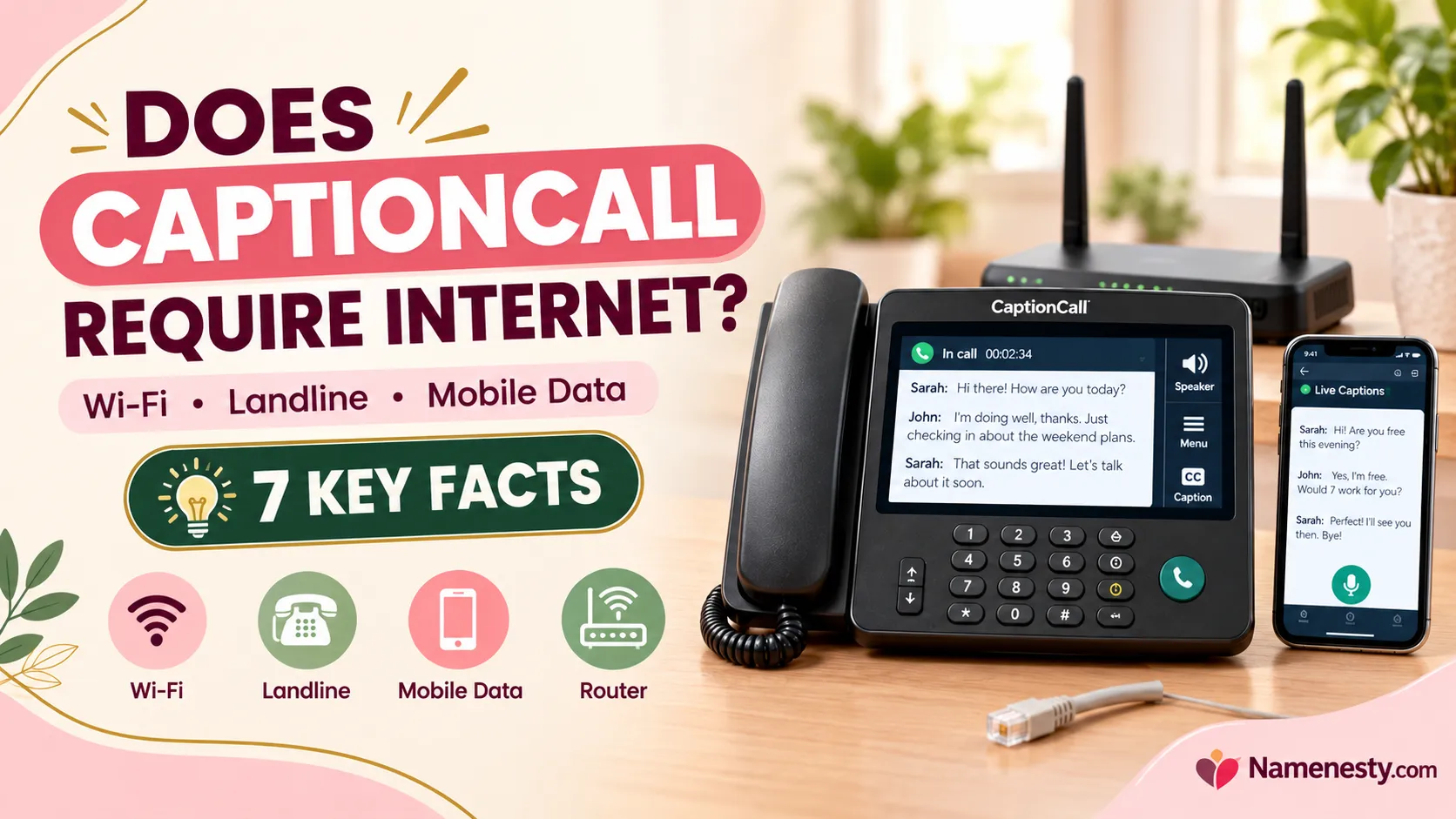
Does CaptionCall Require an Internet Connection? Complete 2026 Guide
Does CaptionCall require an internet connection, or can you use it with a regular landline? The answer might surprise you. While CaptionCall relies on internet connectivity for real-time captions, you don’t always need home Wi-Fi or a traditional phone line. Your options depend on whether you use a CaptionCall home phone, VoIP service, or the mobile app. Choosing the wrong setup could leave you without captions when you need them most. In this guide, discover seven essential facts about CaptionCall’s internet requirements, connection options, setup process, and outage risks so you can choose the right solution with confidence.
Does CaptionCall require an internet connection? Yes, CaptionCall’s real-time captioning service depends on internet connectivity, but you don’t necessarily need home Wi-Fi or a traditional landline. The connection requirements depend on whether you use a CaptionCall home phone, a VoIP connection, or the CaptionCall Mobile app.
If you’re considering CaptionCall for yourself or a family member with hearing loss, understanding these differences can help you avoid installation problems, unexpected connectivity issues, and confusion about how the service works.
This guide explains CaptionCall’s internet requirements, available connection methods, setup options, mobile compatibility, and what happens when your internet or power goes out.
1. Does CaptionCall Require an Internet Connection to Work?
CaptionCall is designed to make telephone conversations more accessible by displaying spoken words as readable text. Its captioning service relies on network connectivity, although the way your actual telephone call connects may vary.
Why internet connectivity matters
CaptionCall is an Internet Protocol Captioned Telephone Service (IP CTS). This type of service uses communication technology to provide captions of the other person’s speech during a phone call.
Here’s what happens during a captioned conversation:
- You make or receive a telephone call.
- The other person speaks normally.
- The captioning service processes the incoming speech.
- Captions appear on your device’s screen.
- You read the captions while listening to the conversation.
The telephone audio and captioning data do not necessarily travel through the same connection.
For example, a home phone may use an existing landline for the voice call while relying on a separate data connection for caption delivery.
Key takeaway: Having a working telephone line does not automatically guarantee that real-time captions will be available.
2. Can You Use CaptionCall Without Wi-Fi or Internet?
You can use CaptionCall without home Wi-Fi in certain configurations, but that is different from using it without any internet connectivity.
This distinction is especially important for households that do not have broadband internet or use smartphones as their primary communication devices.
Using CaptionCall without Wi-Fi
There are several possible situations.
Situation 1: You have Ethernet but no Wi-Fi.
A compatible CaptionCall home phone may use a wired internet connection rather than wireless Wi-Fi.
Situation 2: You have cellular data but no home internet.
CaptionCall Mobile can operate through a supported smartphone’s cellular data connection, provided the signal and service are adequate.
Situation 3: You have only a traditional landline.
The landline may carry ordinary telephone calls, but it does not, by itself, establish that CaptionCall captions can be delivered. The provider must confirm how the captioning connection will be supplied.
Situation 4: You have no internet or mobile data.
Real-time IP CTS captioning cannot be relied upon without the required data connection.
Internet versus Wi-Fi: What’s the difference?
| Technology | Purpose | Can support CaptionCall? |
| Wi-Fi | Wireless access to an internet network | Yes |
| Ethernet | Wired network connection | Yes, on compatible equipment |
| Cellular data | Internet through a mobile network | Yes, for supported mobile setups |
| Traditional landline | Carries telephone voice calls | Can carry call audio, not a substitute for caption data |
| Bluetooth | Connects nearby devices | May support pairing, not internet access by itself |
The most important lesson is that Wi-Fi, cellular data, and Ethernet are different ways of accessing a network. A Bluetooth connection or landline alone should not be confused with internet access.
3. Does CaptionCall Work With a Traditional Landline?
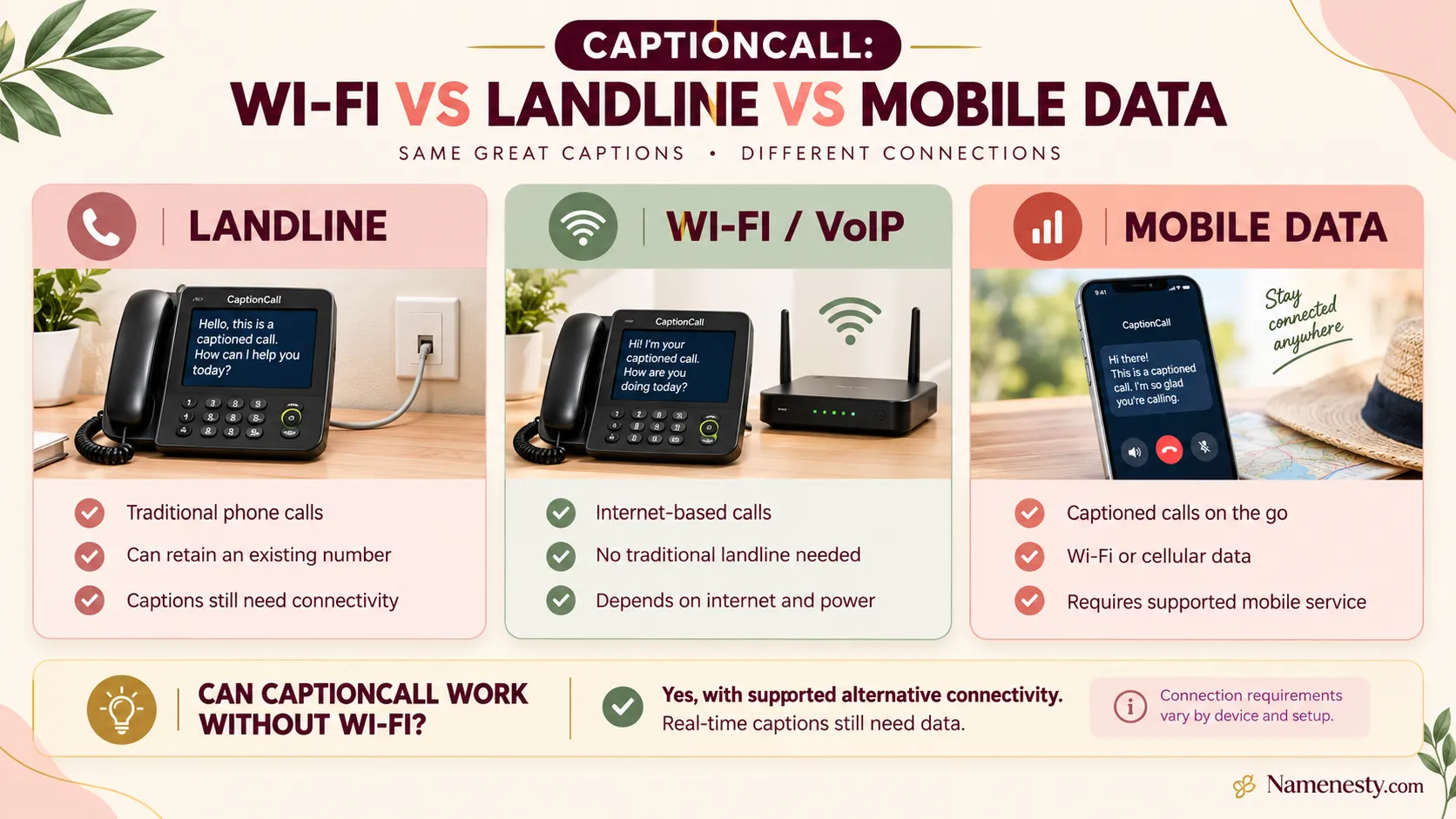
Yes, CaptionCall offers home-phone configurations that can use a traditional landline. This may be attractive to older adults and households that want to retain their existing telephone number.
However, a landline-based setup does not mean that the captioning service is completely independent of internet connectivity.
Benefits of a landline connection
A landline-based configuration may offer several advantages:
- Familiar telephone operation for people who prefer home phones.
- The ability to retain an existing telephone number in supported installations.
- No need to rely on VoIP for the voice portion of the call.
- Convenient use of a physical handset and readable display.
- Less disruption for family members who already call the household’s established number.
What equipment might be needed?
Depending on the installation, you may need a CaptionCall home phone, an active telephone service, a power outlet, and an appropriate network connection for captions.
A technician or service representative can help determine which configuration is compatible with your home.
Can you keep your current telephone number?
A landline-based CaptionCall installation can allow users to retain their existing phone number.
However, if you switch to an internet-based telephone configuration, number assignment and transfer options may differ.
Before making changes, ask CaptionCall whether your existing number can be retained and whether any service changes are necessary.
Best suited for: Households that already use a traditional home telephone and prefer familiar equipment.
4. How Does CaptionCall Work With an Internet Connection?
CaptionCall combines telephone communication with real-time text captions to make conversations easier to follow.
Understanding the basic process helps explain why a reliable connection matters.
How captioned telephone calls work
Caller speaks
The other person’s voice enters the telephone system.
Captioning service
Speech is processed into readable text using the service’s captioning technology.
Captions appear
The user reads the words on a compatible phone or app screen.
Why connection quality matters
A poor network connection can interfere with the delivery of captions. Depending on the setup, this may cause delays, interruptions, or service unavailability.
A stable connection is therefore more useful than a high advertised speed that frequently drops.
Users should also remember that captioning is not always word-perfect. Background noise, overlapping voices, accents, and unclear speech can affect caption accuracy.
5. Does CaptionCall Need Wi-Fi, Ethernet, or Broadband?
CaptionCall does not necessarily require one specific type of home internet connection. The available options depend on the device and service configuration.
The important consideration is whether the connection is supported, sufficiently stable, and suitable for delivering caption data.
Wi-Fi connection
Wi-Fi can be convenient because it allows a compatible home phone to connect without running an Ethernet cable across the room.
However, weak wireless signals may cause problems, particularly when the phone is far from the router or behind thick walls.
Ethernet connection
A wired Ethernet connection may provide more consistent network performance where supported.
It is especially useful when Wi-Fi coverage is unreliable or when a household prefers a fixed telephone location.
Broadband internet
Broadband services such as cable or fiber can support internet-based calling and caption delivery when compatible with the equipment.
The service provider should confirm whether a particular connection is suitable.
Which connection is best?
| Connection | Main advantage | Potential limitation |
| Wi-Fi | Flexible phone placement | Wireless interference |
| Ethernet | Stable wired connection | Requires cable access |
| Broadband with VoIP | No traditional landline needed | Depends on internet availability |
| Cellular data | Portable access | Coverage and data-plan limitations |
For a fixed home-phone installation, reliable Wi-Fi or Ethernet may be appropriate. For users who travel frequently, mobile data provides greater portability.
6. Can CaptionCall Work Without a Landline Phone?
Yes. A traditional landline is not mandatory for every CaptionCall setup.
Some users can access CaptionCall through an internet-based home phone, while eligible smartphone users may prefer the mobile service.
Option 1: Internet-based home phone
A compatible VoIP configuration allows telephone calls to travel over an internet connection rather than a traditional telephone line.
This may suit households that already have broadband internet but no landline subscription.
Option 2: CaptionCall Mobile
CaptionCall Mobile is intended for users who want captioned telephone conversations on supported mobile devices.
It requires a suitable device, service access, and Wi-Fi or cellular data.
Option 3: Smartphone-connected home phone
Certain home-phone configurations support smartphone pairing. The precise calling and captioning requirements should be verified for the particular equipment.
Which option should you choose?
If you prefer a physical handset and large screen, a home-phone configuration may be more comfortable.
If you spend significant time outside your home, the mobile app may be more practical.
The best choice depends on your hearing accessibility needs, preferred device, and available connections.
7. Does CaptionCall Use VoIP for Captioned Phone Calls?
CaptionCall can use Voice over Internet Protocol, commonly called VoIP, for telephone communication.
VoIP sends telephone audio through an internet connection rather than a traditional circuit-switched telephone network.
How VoIP works with CaptionCall
In a compatible VoIP configuration, the internet connection supports telephone communication as well as the captioning service.
This removes the need for a traditional phone jack for the call itself.
Advantages of VoIP
VoIP may provide flexible device placement, access without a landline subscription, and compatibility with households that already use broadband internet.
However, it also introduces dependencies.
If your internet service fails, an internet-based telephone call may not work. A power outage can also affect the phone, router, or modem.
Does VoIP need a telephone number?
Yes, telephone services generally use a telephone number to route incoming and outgoing calls.
CaptionCall may provide a number for an internet-based configuration. Whether you can retain or transfer an existing number should be confirmed directly with the provider.
Is VoIP the right choice?
VoIP is a reasonable option when you have dependable broadband service and do not want a traditional landline.
If internet outages are common in your area, plan an alternative communication method before relying on an internet-based telephone.
8. Does the CaptionCall Mobile App Require Internet Access?
Yes. CaptionCall Mobile requires a Wi-Fi or cellular data connection to provide real-time captioning.
It is intended for eligible users who need captioned telephone communication on compatible mobile devices.
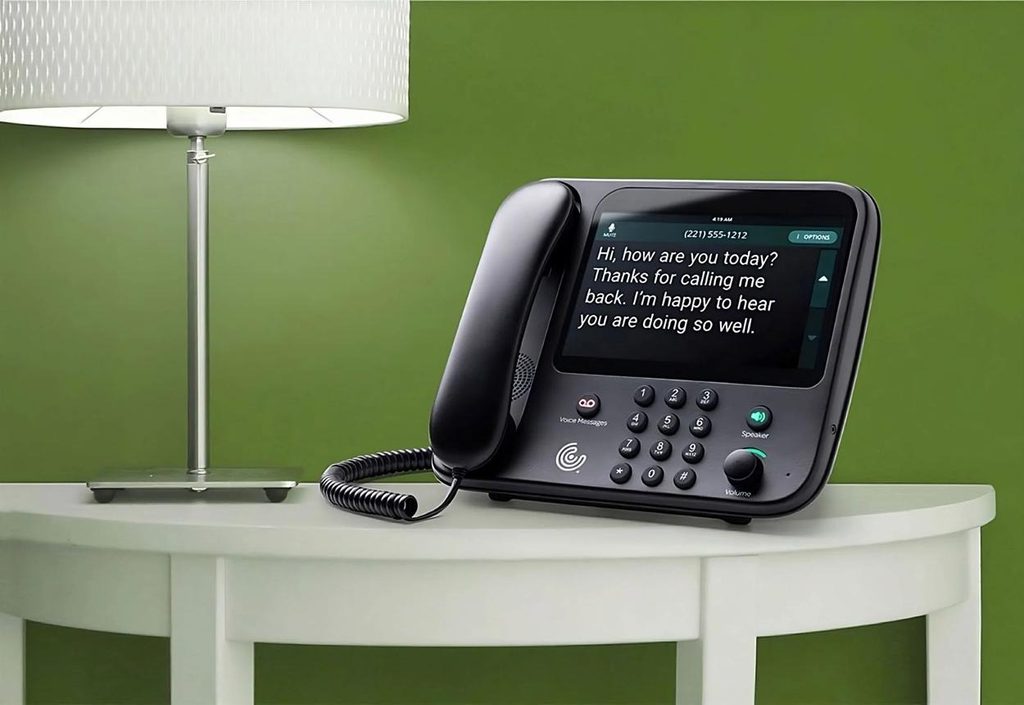
CaptionCall Mobile
The mobile service is useful when a dedicated home phone is inconvenient, particularly for travel, work, or everyday communication outside the house.
Unlike a fixed home phone, the app depends on the supported mobile device and its available network connection.
Does CaptionCall Mobile need Wi-Fi?
No, not specifically. Cellular data can provide the internet connection instead.
For example, a user may be able to receive captioned calls outside the home when their smartphone has adequate mobile network coverage.
Does the app work in airplane mode?
Airplane mode generally disables cellular connections. If Wi-Fi is subsequently enabled and the app supports calling over that network, internet access may be available.
However, call behavior can depend on device settings and service configuration. Do not assume the app will function in airplane mode without testing.
Can you use the app while traveling?
Potentially, yes, wherever the service is supported and suitable connectivity is available.
Check current service eligibility, supported regions, roaming restrictions, and data charges before traveling.
Important compatibility considerations
Before installing, verify the current device and operating-system requirements, account eligibility, and any call-routing setup.
For the latest availability, consult the official CaptionCall service website.
9. Can You Connect CaptionCall to a Smartphone Using Bluetooth?
Some CaptionCall home-phone configurations support Bluetooth pairing with a smartphone.
This can make it possible to use a compatible home-phone device alongside mobile telephone service.
However, Bluetooth and internet connectivity perform different functions.
What Bluetooth does
Bluetooth allows nearby electronic devices to communicate wirelessly over short distances.
It can support functions such as pairing a smartphone with compatible telephone equipment.
What Bluetooth does not do
Bluetooth pairing does not automatically provide an active internet connection or guarantee caption availability.
The captioning service must still have access to the required network connection.
When smartphone pairing may be useful
This arrangement may appeal to someone who already relies on mobile telephone service but prefers the larger display or physical controls of a home phone.
Before purchasing or requesting equipment, confirm that your smartphone and the specific CaptionCall device support the desired pairing features.
10. What Are the Minimum Internet and Equipment Requirements for CaptionCall?
CaptionCall requirements depend on whether you use a dedicated home phone or the mobile service.
There is no single universal equipment checklist suitable for every installation.
Home phone requirements
A typical compatible installation may involve:
- CaptionCall home-phone equipment.
- An available electrical power source.
- A supported telephone connection, such as a landline or VoIP.
- Internet connectivity for caption delivery.
- A suitable Wi-Fi or wired network arrangement where required.
- Account setup and eligibility verification.
Mobile app requirements
The mobile service generally requires a compatible smartphone or supported mobile device, a CaptionCall account, and working Wi-Fi or cellular data.
Operating-system requirements and supported devices can change, so check the current app listing.
Before installation: readiness checklist
My CaptionCall setup checklist
0 of 6
I know whether I have a landline, broadband internet, or cellular data.
I have a reliable power source for my home equipment.
I have checked the Wi-Fi or cellular signal where I plan to use the service.
I have confirmed which CaptionCall device or app is supported.
I have asked about emergency calling and outage limitations.
I have verified eligibility and installation requirements.
Copy checklist
Completing this checklist can help you identify questions to discuss with the provider before installation.
11. How Much Internet Speed Does CaptionCall Need?
A common question is whether CaptionCall requires fast internet to display real-time captions.
The most useful answer is that connection stability, latency, and compatibility are important alongside download and upload speed.
A universal minimum bandwidth figure should not be assumed for every CaptionCall device or configuration.
Factors affecting caption performance
Connection stability: Frequent disconnections may interrupt caption delivery.
Network latency: Delays in transmitting and processing data can affect how quickly captions appear.
Wireless signal strength: A weak Wi-Fi signal may cause inconsistent connectivity.
Network congestion: Heavy activity on a shared connection may reduce performance.
Equipment condition: Outdated routers, damaged cables, or device problems may contribute to interruptions.
How to improve connection quality
Place the router in an appropriate location, reduce interference, and consider Ethernet if the equipment supports it.
Restarting network equipment may resolve temporary problems, but avoid interrupting active calls or emergency communications.
If caption delays persist, contact CaptionCall support to check the device, service, and recommended network settings.
Do not rely on arbitrary internet-speed numbers published by unrelated websites. Ask the provider for the requirements of your exact model and installation.
12. What Happens to CaptionCall During an Internet or Power Outage?
Internet and power outages are among the most important considerations when choosing an accessible telephone service.
The impact depends on whether the call uses a landline, VoIP, or mobile connection, and whether the captioning service remains available.
During an internet outage
A VoIP home phone may lose its ability to make or receive calls if its internet connection is unavailable.
A landline-based phone may retain some ordinary calling capability, depending on the telephone service and equipment, but captions can become unavailable when their required data connection fails.
CaptionCall Mobile may continue working over cellular data if home Wi-Fi goes down and the mobile network remains operational.
During a power outage
A CaptionCall home phone and its associated networking equipment generally require electricity.
Even if a traditional telephone network remains operational, the captioned phone itself may not function without power.
A charged smartphone may provide an alternative when cellular service remains available, but this should not be treated as a guaranteed emergency backup.
Emergency calling considerations
Emergency calling is particularly important for users with hearing loss.
CaptionCall’s published emergency advisory warns about service limitations when power or internet connectivity is unavailable.
If you depend on captioned calling, prepare an emergency communication plan that includes a tested alternative appropriate to your needs.
For more information, review the official CaptionCall 911 advisory.
Important: Do not assume that a VoIP phone, landline-based captioned phone, or mobile app will operate normally during an outage. Emergency calling behavior depends on the specific service and available infrastructure.
13. How to Set Up CaptionCall With Wi-Fi, Landline, or Mobile Data
Setting up CaptionCall depends on the type of connection available in your home and the equipment provided.
A correct setup helps prevent caption interruptions and makes the service easier to use.
Setting up CaptionCall with Wi-Fi
For a compatible internet-based home-phone configuration:
- Confirm that your home internet service is active.
- Place the CaptionCall device near a reliable Wi-Fi signal.
- Connect the phone to an appropriate power outlet.
- Follow the provider’s installation instructions.
- Connect the device to the supported network.
- Complete any required account or telephone-number configuration.
- Make a test call and verify that captions appear correctly.
If CaptionCall provides professional installation, the installer can help check network compatibility and device placement.
Setting up CaptionCall with a landline
A traditional landline configuration generally involves connecting the compatible CaptionCall equipment to the existing telephone service.
The provider must also establish the connectivity needed for captions.
Before installation, verify whether the current telephone number can be retained, what networking equipment is required, and whether the service will continue carrying voice calls during an internet interruption.
Setting up CaptionCall Mobile
For the mobile service, confirm eligibility and device compatibility, install the official app, and complete the account setup.
Next, connect to working Wi-Fi or cellular data and follow the service’s instructions for making or receiving captioned calls.
Make a test call to check caption visibility, audio quality, and connection stability.
Which setup is easiest?
The easiest setup is generally the one that works with the equipment and connections you already have.
A household with dependable broadband but no landline may prefer VoIP. Someone who travels frequently may prefer the mobile app.
For users unfamiliar with network configuration, professional installation or direct assistance from CaptionCall may be the most practical choice.
14. How to Fix CaptionCall Internet Connection and Captioning Problems
If CaptionCall stops displaying captions or experiences connection problems, the cause may involve the internet service, telephone connection, equipment, or captioning service.
Troubleshooting should begin with simple checks before changing advanced network settings.
Common problems and possible solutions
| Problem | Possible cause | What to try |
| Captions are not appearing | Network or service interruption | Check connectivity and contact support |
| Captions are delayed | Weak or unstable connection | Improve network stability |
| VoIP calls disconnect | Internet interruption | Check router and broadband service |
| Mobile app cannot connect | Cellular or Wi-Fi issue | Test an alternative supported network |
| Home phone does not turn on | Power issue | Check the outlet and power connection |
| Smartphone pairing fails | Bluetooth compatibility or pairing issue | Follow device-specific pairing instructions |
| Captions are inaccurate | Noise or unclear speech | Reduce background noise and ask callers to speak clearly |
Troubleshooting checklist
Step 1: Check the internet connection. Verify that other connected devices can access the internet. This helps identify whether the problem affects your entire network.
Step 2: Check power and cables. Ensure the CaptionCall device, router, and modem have power and that any required cables are securely connected.
Step 3: Check Wi-Fi signal strength. If the device uses Wi-Fi, move it closer to the router where practical or ask whether Ethernet is supported.
Step 4: Restart equipment when appropriate. A restart may resolve temporary connectivity problems. Follow the manufacturer’s instructions and avoid disconnecting active calls.
Step 5: Check the telephone service. Determine whether the issue affects only captions or also ordinary voice calling.
- Explore More: https://namenesty.com/what-is-a-social-caption/
Step 6: Contact CaptionCall support. If the problem persists, describe the device model, connection type, error messages, and troubleshooting steps already attempted.
When should you contact technical support?
Contact the provider when captions repeatedly fail, the device cannot connect after basic checks, or a recent installation has never worked correctly.
Avoid changing router security settings or disabling protective features without reliable technical guidance.
15. People Also Ask About CaptionCall Internet Requirements
Not necessarily. CaptionCall can use supported wired connections, and CaptionCall Mobile can use cellular data. However, its real-time captioning service still requires appropriate data connectivity.
A traditional landline may carry telephone audio, but it does not independently provide the internet-based captioning connection. Ask CaptionCall to verify the complete configuration before installation.
It may work in supported mobile configurations using cellular data. Whether a particular home-phone setup can operate without fixed broadband depends on the equipment and available connections.
A traditional landline number is not required for every configuration. Internet-based and mobile services may have their own telephone-number arrangements.
CaptionCall Mobile can use cellular data instead of Wi-Fi. Data availability, signal quality, and your mobile plan may affect performance and costs.
CaptionCall’s federally supported captioning service and qualifying equipment may be available at no direct cost to eligible users. However, ordinary internet, telephone, and mobile service charges may still apply.
CaptionCall Connection Decision Guide: Which Option Is Best for You?
Choosing the right setup should begin with your existing communication services rather than assuming that one connection type is suitable for everyone.
VoIP CaptionCall home phone
Can provide captioned calls without a traditional landline.
Internet and power outages can affect calls and captions.
Copy my recommendation
Key Takeaways: Does CaptionCall Require Internet?
CaptionCall’s internet requirements depend on the equipment and telephone service being used.
The most important distinction is that internet connectivity is required for real-time IP CTS captions, but home Wi-Fi and traditional landline service are not always mandatory.
A traditional landline can support telephone audio in compatible configurations. VoIP can support calls without a traditional landline, and CaptionCall Mobile can use Wi-Fi or cellular data.
For households with unreliable internet, power outages, or limited mobile coverage, the decision should also include an alternative communication plan.
Before requesting CaptionCall equipment, verify your exact connection requirements, compatibility, eligibility, and emergency calling arrangements with the provider.
Conclusion
So, does CaptionCall require an internet connection?
Yes, the real-time captioning service relies on data connectivity, but the way you connect depends on your device. A home phone may use a traditional landline for voice calls, a VoIP configuration can operate over broadband, and CaptionCall Mobile can use cellular data instead of home Wi-Fi.
For users with hearing loss, the best setup is the one that provides accessible communication while fitting their existing equipment, budget, and connectivity options.
Bookmark this guide if you’re comparing CaptionCall connection options, and check the official provider documentation before making installation decisions.











2 thoughts on “Does CaptionCall Require Internet? 7 Key Facts”