Clear Caption Phone: Costs, Eligibility, Setup, and What to Know Before You Sign Up
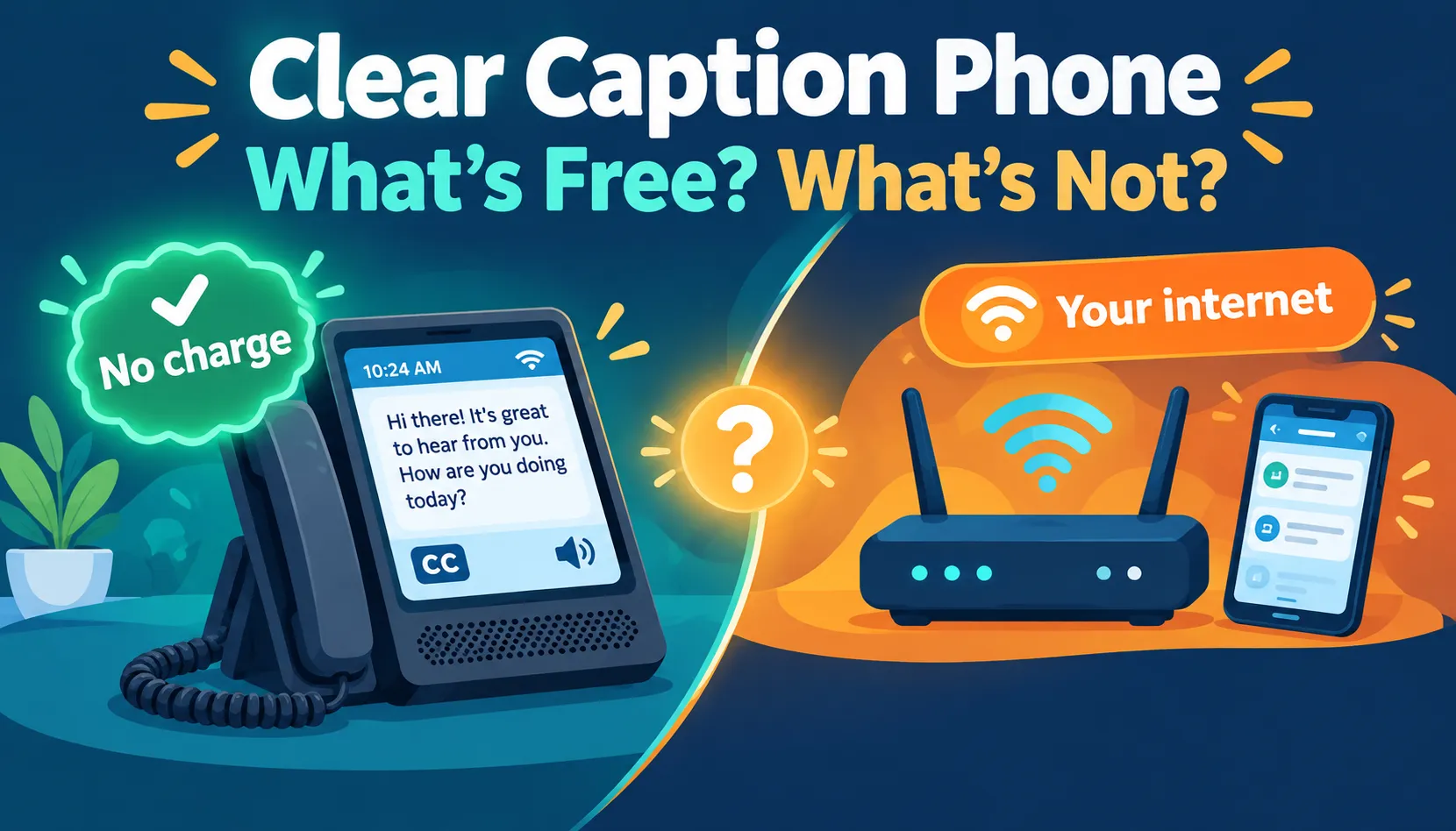
You’ve seen the ads: a phone that shows what the other person is saying, at no cost. It sounds almost too good to be true, so asking questions is smart. Here’s the honest picture. A ClearCaption phone, usually a ClearCaptions phone, can be free for people whose hearing loss makes captions necessary for calls. But “free” covers the phone and captioning, not your internet. There are eligibility rules, English-only service, and limits during power outages. In the next few minutes, you’ll learn exactly who qualifies, what you’ll still pay for, and which questions to ask before you say yes.
If you’ve been searching for a clear caption phone, you probably want one simple answer: can a phone show me what the other person is saying, and will it cost me anything?
Short version: a clear caption phone usually means a ClearCaptions telephone. It displays the caller’s words as text while you listen, and it’s designed for people with hearing loss who need captions to use the phone. For eligible users, the provider says the phone and captioning are no-cost. But you still need reliable internet, and there are eligibility rules and real limitations.
This guide pulls together what the provider’s separate pages explain in pieces: who qualifies, what’s covered, what’s not, and what to ask before you commit.
Editorial note: This guide is based on published provider information and independent reporting. It is not a hands-on product test, so we don’t make claims about measured caption accuracy.
Quick Answer Table
| Question | Short answer |
| What is it? | A phone that displays the other caller’s speech as text |
| Who is it for? | People with hearing loss who need captions for phone calls |
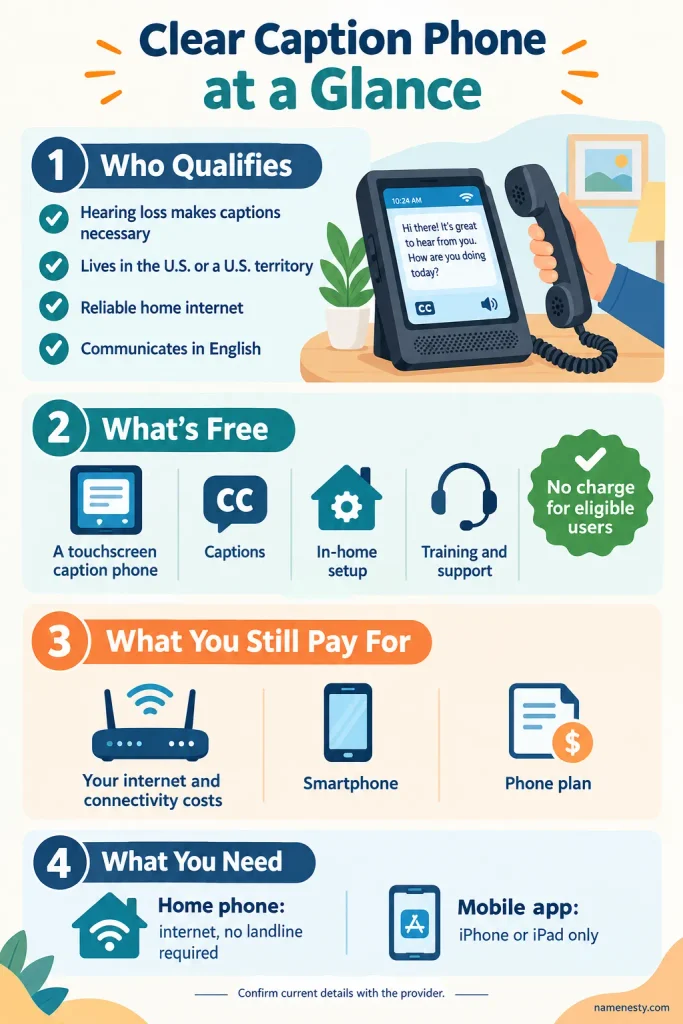
| Cost to eligible users? | No charge for the phone, captioning, in-home setup, training, and ongoing support, per the provider |
| Internet needed? | Yes, reliable home internet |
| Landline needed? | No, an internet-based setup is available |
| Doctor’s letter? | Not required; self-certification is used |
| Where available? | United States and its territories |
| Language? | English |
| Mobile option? | An app for supported iPhones and iPads; no Android support on the reviewed page |
1. What Is a Clear Caption Phone and How Does It Work?
A caption phone adds a readable layer to a normal phone call. It looks and feels like a home phone, with a handset and a large touchscreen that shows the conversation as text.
When you make or receive a captioned call, the other person’s speech is converted to text and sent to the screen. You listen through the handset or speakerphone and read along. Depending on the service, captions can come from automated speech recognition or a live captioning operator. The provider’s disclosure says a live operator may be involved.
The difference from other phones is worth spelling out:
- Amplified phones make the voice louder.
- Caption phones give you a text version of the words.
- ClearCaptions combines captions with familiar phone features like contacts, speakerphone, and voicemail.
Captions appear in near real time. That is not the same as instant, error-free transcription.
2. Who Qualifies for a ClearCaptions Phone?
ClearCaptions lists four main requirements:
- You have hearing loss that makes captions necessary for phone calls.
- You live in the United States or a U.S. territory.
- You have reliable home internet.
- You communicate in English.
Two common misunderstandings:
- It isn’t just for seniors. The provider describes seniors, working-age adults, veterans, and others with qualifying hearing loss as potential users. Age alone isn’t the qualification.
- It isn’t a free phone for anyone who prefers Reading calls. The captioning is for registered users whose hearing loss makes captions necessary.
Quick eligibility checklist
- Captions help me follow phone conversations
- I’m in the U.S. or a U.S. territory
- I have reliable home internet
- I communicate in English
If you can tick all four, you’re likely a candidate. Confirm with the provider.
3. Do You Need a Doctor’s Letter or Medical Proof?
According to ClearCaptions, no. There is no medical documentation or doctor’s signature requirement. A specialist guides you through self-certification, where you confirm that your hearing loss makes captions necessary for phone use.
Self-certification isn’t a loophole. It removes paperwork, not the eligibility requirement. One independent review also uses the phrase “medically recognized hearing loss” in an FAQ, so if you want certainty about your own situation, ask the provider during enrollment.
4. Can You Qualify If You Wear Hearing Aids or Cochlear Implants?
Yes. Wearing hearing aids or cochlear implants doesn’t disqualify you, and you can use them alongside the captioned phone.
The reverse is also true: you don’t need hearing aids to qualify. The question is whether hearing loss makes captions necessary for effective phone communication.
Can a family member arrange it? A caregiver or family member can help an eligible person apply and set up the service. But captioning is for the eligible registered user, not for a caregiver just because they live in the same home.
5. How Much Does a Clear Caption Phone Really Cost?
For qualified users, ClearCaptions says it does not charge for:
- The phone
- Call captioning
- In-home installation
- Training
- Ongoing U.S.-based support
The provider explains that captioning is supported through a federally administered program, so the per-minute cost is paid from that fund rather than passed to eligible users.
Does “No Cost” Include Your Internet Bill?
No, and this is the detail many pages blur. “No-cost” refers to the equipment and captioning. You still need connectivity, and depending on your setup, your own expenses may include:
- Home internet service
- An existing telephone plan, if you keep one
- A smartphone and mobile data plan, if you use the mobile app
Before you sign up, ask two questions:
- What does the provider supply at no charge?
- What connectivity or device costs will I keep paying elsewhere?
6. Do You Need Internet or a Landline for a Caption Phone?
You need reliable home internet. You do not need a traditional landline, because the provider says its home phones can run on internet-based calling.
| Your situation | What to confirm with the installer |
| You have a traditional landline | How the phone connects and whether you keep that number |
| You want internet-only calling | How your new number and internet connection will be set up |
| You plan to cancel existing phone service | Whether anything else in your home depends on that service |
Don’t cancel any current phone service until you’ve confirmed how your setup will work.
7. Can You Keep Your Existing Phone Number?
It depends on the setup. ClearCaptions says users with a traditional landline can keep their existing number. For Wi-Fi-enabled customers using internet-based calling, the company says it provides a new number.
Don’t assume. Confirm the number arrangement during enrollment so family, doctors, and pharmacies can still reach you.
8. Clear Caption Phone Features: Captions, Voicemail, Speakerphone and More
Captions are the headline feature, but the everyday details matter for usability.
- Adjustable caption display: the provider says caption size and background color can be customized, and the setup specialist can demonstrate this.
- Captioned voicemail: read the messages you missed instead of straining to hear them.
- Speakerphone: supports hands-free calling.
- Contacts and favorites: a contact list and speed-dial for frequent calls.
- Visual alerts: a light bar signals incoming calls and can also flash for a missed call or new voicemail. A red dot appears over the voicemail icon when there’s a new message.
- Caption history: the call log can store caption history on the device. Because saved text may include personal information, ask how to review and delete it.
9. How to Get a ClearCaptions Phone: Step-by-Step Setup
The published process has three stages: qualify, certify, connect.
- Contact the provider. Use the official ClearCaptions website or its published enrollment line to discuss eligibility. Check the site for the current number.
- Register and self-certify. A specialist walks you through registration and confirms your hearing loss requires captions for phone use. No medical paperwork is needed, per the provider.
- Schedule installation and training. After eligibility is confirmed, the provider arranges an in-home visit where a specialist connects the phone and demonstrates its features.
Questions to Ask Before the Appointment
- Will I keep my current number?
- Will the phone use my landline or internet-based calling?
- Can I comfortably read the screen where it will sit?
- How do I turn captions on and off?
- How do I read voicemail and review saved captions?
- What do I do if captions stop appearing?
- What happens during a power or internet outage?
- Which support line do I use after installation?
These questions turn an equipment drop-off into real training.
10. How to Make and Receive Calls After Setup
The provider’s FAQ gives this sequence for a standard call:
- Enter the three-digit area code.
- Enter the seven-digit phone number.
- Lift the handset or press Speaker.
The full ten-digit number is required, even for local calls.
Why is the light flashing? It can mean an incoming call, a missed call, or a new voicemail. Listening to the new voicemail stops that voicemail-related flashing.
What if captions aren’t appearing? Captions depend on a reliable internet connection, so start there. Then contact support and ask them to separate a calling problem from a captioning or connectivity problem. Avoid changing unfamiliar settings just to experiment.
11. Does ClearCaptions Work on iPhone, iPad, or Android?
ClearCaptions offers a mobile app for eligible users on supported Apple devices. The provider lists these requirements:
- An iPhone or iPad
- Wi-Fi or cellular data
- A registered ClearCaptions account
- A supported operating system version
Android: the reviewed provider page lists iPhone and iPad support, not Android, and an independent review also describes the app as iOS-only. Check current compatibility before relying on it.
Your number: the app provides a personalized captioning number you can share with callers. Calls to your existing mobile number may involve forwarding arrangements, so ask how incoming calls will reach the app instead of assuming every call is captioned automatically.
| Home phone | Mobile app | |
| Device | Touchscreen caption phone | iPhone or iPad |
| Connection | Reliable home internet | Wi-Fi or cellular data |
| Number | Keep landline number, or new number on internet setup | Personalized captioning number |
| Best for | Daily calls at home, larger screen | Calls on the go |
12. Clear Caption Phone Pros and Cons: Who It Fits and Who It Doesn’t
May be a good fit if you:
- Need text support to follow phone conversations
- Prefer a familiar handset
- Want a larger screen than a smartphone
- Value in-home installation and guided training
- Speak English and have reliable internet
May be less suitable if you:
- Need captions in a language other than English
- Don’t have reliable internet
- Want the app on Android
- Live outside the U.S. and its territories
- Don’t have hearing loss that requires captions for phone use
What About Accuracy and Support Quality?
Don’t confuse product descriptions with independent measurements. The provider describes accurate captions and helpful support. The independent review we referenced says it has not evaluated the phone in real-world use and notes mixed public feedback, including enrollment and customer service complaints.
When you see a demo, judge it by your own needs: screen readability, pacing, how it handles names and numbers, and how comfortable the controls feel.
13. Is a Caption Phone Safe? Privacy, Live Operators and 911 Limits
Privacy. The provider says a live operator may generate captions and that it follows FCC confidentiality rules. If you’ll discuss sensitive topics, ask how captions are generated and how saved caption history works in your setup.
911. ClearCaptions says its phone can call 911. But internet-based phones can be affected by power outages, internet disruptions, and registered location information. Don’t treat the captioned service as your only way to reach emergency services.
During setup, ask the specialist to explain:
- The registered emergency address
- What happens when power or internet is down
- Your backup method for contacting emergency services
- More Explore:https://namenesty.com/birthday-instagram-captions/
14. ClearCaptions vs. CaptionCall, CapTel and InnoCaption: What to Compare
Other options mentioned in independent coverage include CaptionCall and Hamilton CapTel, plus InnoCaption for people mainly interested in a mobile captioning app. Don’t choose based on the “free” label alone. Compare:
| Factor | Ask each provider |
| Reading comfort | Can I read captions comfortably in a normal conversation? |
| Installation | In person, remote, or self-guided? |
| Mobile compatibility | Does the app support my actual device? |
| Language | Is the language I need supported? |
| Phone number | Keep, new number, or forwarding? |
| Support | How do I get help after installation? |
| Privacy | How are captions generated, saved, and deleted? |
| Emergency access | What limits apply to my setup? |
Features and requirements change, so verify directly with each provider.
15. Clear Caption Phone People Also Ask
For qualified users, ClearCaptions says the phone, captioning, in-home setup, training, and ongoing support are provided at no cost. Your internet and other connectivity costs are separate.
The provider says qualified users are not charged fees for its captioning service.
Yes. The home phone can use reliable home internet instead of traditional phone service.
No. The home phone needs reliable internet, and the mobile app needs Wi-Fi or cellular data.
No. The provider uses self-certification instead of medical documentation.
No. Eligible people with hearing loss, including working-age adults, can use it. Age alone isn’t the qualification.
Yes, as an ordinary phone with captions turned off. Caption-enabled use is for the eligible registered user.
Yes. Hearing aids and cochlear implants don’t prevent eligibility.
No. The provider says it’s available only in the United States and its territories.
Conclusion
Key Takeaways
- A clear caption phone usually means a ClearCaptions captioned telephone for people with hearing loss.
- Eligible users aren’t charged for the phone or captioning, but you still pay your own internet and connectivity costs.
- You need reliable internet, not a landline.
- No doctor’s letter is required, but you must self-certify that captions are necessary.
- The mobile app is for iPhone and iPad; verify current compatibility.
- Confirm your phone number arrangement and 911 limitations before changing any existing service.
Choosing the Right Option
If you have qualifying hearing loss, speak English, and have reliable internet, a caption phone is worth a demo. As you mainly use a smartphone, compare app-based options. If you rely on a language other than English or have unreliable internet, check alternatives first.
Next Steps
- Run the eligibility checklist in section 2.
- Take the installer question list from section 9 to your enrollment call.
- Compare at least one alternative using the table in section 14.
- Bookmark this guide to revisit before you sign up.










2 thoughts on “Clear Caption Phone: Is It Really Free? The Truth (2026)”