Red Dot Complete Guide 2026: Types, MOA & More
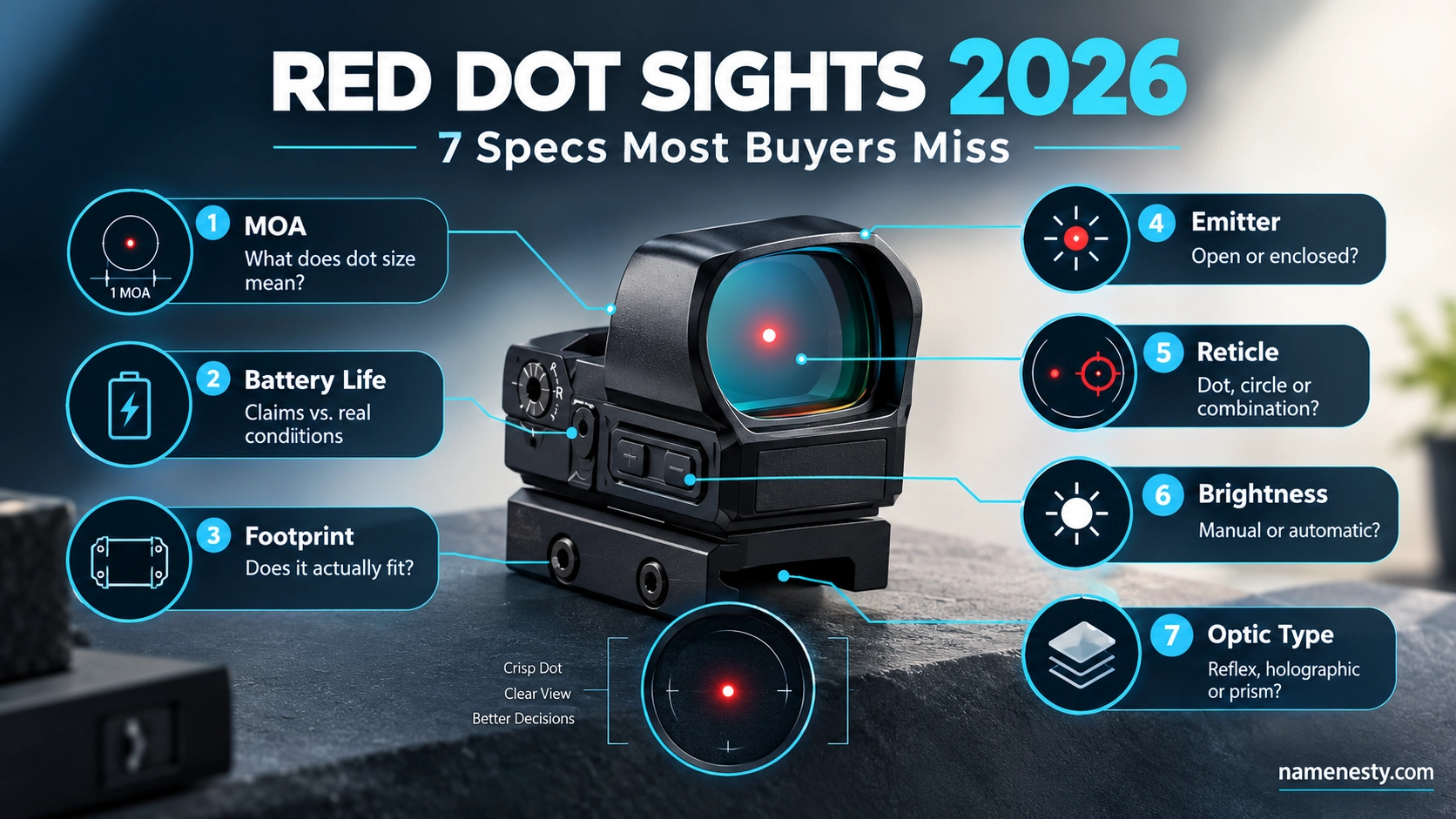
Buying a red dot sight can look simple until you encounter MOA, footprints, emitter types, battery-life claims, and confusing product labels. One guide calls everything a “red dot,” while another separates reflex, holographic, and prism optics. That can make an expensive decision harder than it should be. This 2026 guide cuts through the jargon and shows you what each specification actually means, which claims deserve verification, and where common buying assumptions can go wrong. Whether you are comparing optics or simply trying to understand the technology, you will leave with a clearer framework for evaluating products without relying on hype.
A red dot sight is an optical aiming device that displays an illuminated reticle within the viewer’s field of view. The phrase “red dot” is often used as a broad category; however, and that can create confusion because LED Reflex Sights, holographic sights, and prism optics use different technologies.
The easiest way to make sense of the market is to stop starting with product names and start with how the optic works, what its specifications actually mean, and what the manufacturer has verified.
This complete guide explains the terminology, major technology differences, MOA, emitters, battery claims, footprints, vision considerations, maintenance, ownership costs, and common specification mistakes.
Editorial note: This is an educational technology guide, not a hands-on product test or firearm installation, calibration, or shooting tutorial. Model-specific installation and firearm questions should be handled according to the manufacturer’s current documentation and, where appropriate, by a qualified professional.
What Is a Red Dot Sight and How Does It Work?
A conventional LED red dot sight is a non-magnifying optical sight that presents an illuminated reticle to the viewer. Aimpoint, for example, describes its red dot reflex sights as non-magnifying sights with 1× magnification and unlimited eye relief.
Despite the familiar name, the reticle does not necessarily have to be red. Current products are available with different illumination colors, and the exact choices depend on the model.
The basic components
A typical electronic reflex optic can be understood through several simple components:
| Component | What it does |
| Emitter | Produces the illumination used for the reticle |
| Lens | Allows the viewer to see the scene while reflecting the reticle |
| Reticle | The visible aiming reference |
| Brightness controls | Change reticle intensity |
| Power source | Usually a battery, although some products have additional power systems |
| Housing | Protects internal components |
| Mounting interface | Connects the optic to a compatible mounting system |
The important point is that the illuminated mark is part of the optic’s optical system. It is not simply a colored spot physically painted or projected onto the object being viewed.
EOTECH’s documentation likewise distinguishes holographic reticle technology from ordinary red-dot optics and describes its holographic window as producing a virtual reticle image when illuminated by laser light.
Is the dot actually projected onto the target?
No.
In a conventional reflex sight, the illuminated reticle is part of the optical sight picture. It is not a laser spot cast forward onto the target.
That distinction matters because “projected dot” is often used casually in marketing or conversation even though it can create the wrong mental model of how the optic works.
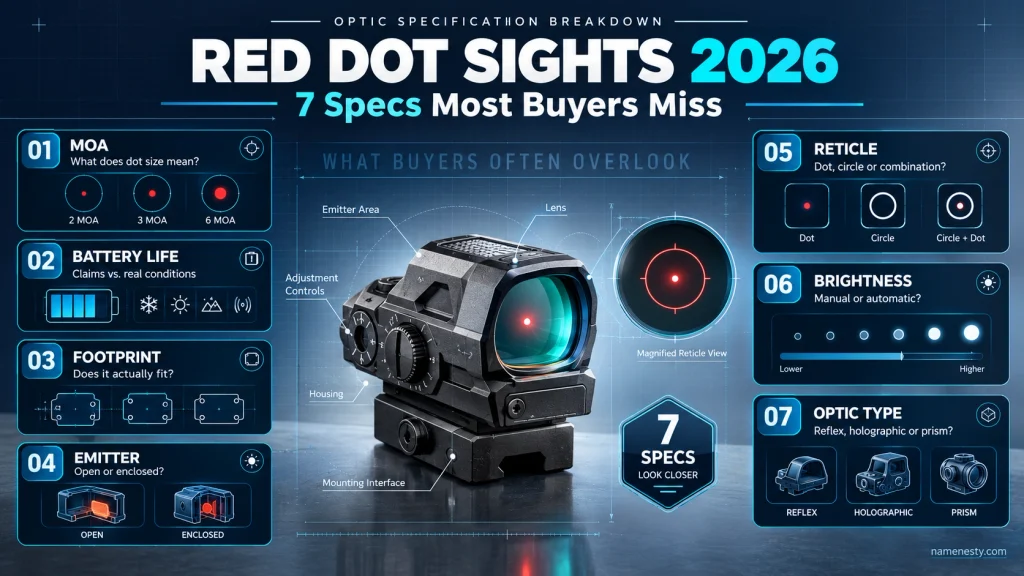
Red Dot vs. Reflex vs. Holographic vs. Prism: What’s the Difference?
This is one of the most important distinctions in the entire subject.
“Red dot” can be used as a broad consumer term, while reflex, holographic, and prism describe different optical approaches.
LED reflex sights
An LED reflex sight uses an illuminated emitter and an optical lens to produce the visible reticle.
This is the technology most people mean when they casually say “red dot sight.”
Aimpoint explicitly describes one of its products as a “red dot reflex sight” and identifies its operating principle as a reflex collimator sight.
Holographic sights
A holographic sight uses a different optical system.
EOTECH documentation explains that its holographic window contains an embedded holographic reticle pattern that forms a virtual image when illuminated by laser light.
That means a holographic sight should not simply be described as an LED reflex sight with a different housing.
Prism optics
Prism optics use a prism-based optical arrangement and commonly use an etched reticle.
That creates an important distinction from an illuminated LED-only reticle: an etched reticle can remain physically present in the optical system rather than relying entirely on electronic illumination.
Comparison table
| Technology | Core concept | Main terminology |
| LED reflex | LED illumination reflected through an optical system | Reflex / red dot |
| Holographic | Laser-illuminated holographic reticle system | Holographic sight |
| Prism | Prism-based optical system with an etched reticle | Prism optic |
The categories may overlap in how retailers market them, but the underlying technology should not be treated as identical.
Why terminology matters
A beginner comparing “red dots” may unknowingly compare three fundamentally different optical technologies.
That can make specifications difficult to interpret.
The better approach is:
Identify the optical technology first → then compare the specifications within that technology.
Open vs. Enclosed Emitter Red Dot Sights Explained
Emitter design is another major distinction.
An open-emitter optic leaves the emitter area exposed within the optical window.
An enclosed-emitter optic places the emitter’s optical path inside a protective housing.
The difference is primarily about physical protection and environmental exposure.
Open emitter
Open designs can have a relatively open appearance and compact form factor.
Because part of the optical path is exposed, external material can potentially interfere with the emitter area.
Enclosed emitter
Enclosed designs surround the emitter path with additional housing.
That can reduce direct exposure of the emitter area to environmental contamination, but it does not make the entire optic immune to dirt, water, scratches, or damage.
Important distinction
Enclosed does not mean indestructible.
The viewing window can still become dirty.
The exterior housing can still be damaged.
Seals can have limits.
And the manufacturer’s environmental rating applies to a specific model under defined conditions.
For example, Holosun currently lists the EPS Carry as an enclosed optic and gives it an IPX8 rating while also specifying its operating temperature, vibration rating,g and other model-specific details.
Open vs. enclosed comparison
| Characteristic | Open emitter | Enclosed emitter |
| Emitter path | More exposed | More protected |
| Housing | More open design | Enclosed housing |
| Environmental exposure | Greater exposure around emitter | Reduced direct emitter exposure |
| Exterior lens | Still exposed | Still exposed |
| Universal superiority? | No | No |
The best category depends on the intended application, environmental requirements, ts and the exact product—not on a simple “enclosed is always better” rule.
What Does MOA Mean on a Red Dot Sight?
MOA means minute of angle.
It is an angular measurement.
A red dot advertised as 2 MOA or 6 MOA is therefore describing the nominal angular size of its reticle rather than its magnification.
Why MOA confuses beginners
New buyers sometimes interpret “6 MOA” as though it means the optic has six times something or provides six levels of magnification.
It does not.
A conventional red dot is generally a 1× optic.
Aimpoint’s published specifications, for example, describe its MPS II as 1× with a 4 MOA dot.
Smaller versus larger reticles
A smaller numerical MOA value represents a smaller angular reticle.
A larger numerical value represents a larger angular reticle.
But reticle size alone does not determine overall optic performance.
The specification does not tell you everything about:
- optical clarity
- lens quality
- illumination behavior
- perceived reticle shape
- brightness
- housing design
- durability
- individual visual perception
That is why “smaller MOA automatically means better optic” is an oversimplification.
Manufacturer specifications matter
Trijicon, for example, publishes different RMR variants with specific reticle sizes, including 3.25 MOA and 6.5 MOA configurations.
The correct comparison is therefore:
Exact model → exact reticle → exact specification
rather than simply comparing the product family name.
How to Understand Red Dot Brightness and Reticle Options
Reticle options are often presented as a simple feature list, but there is more information hidden inside the specification sheet.
A product may offer:
- a single dot
- a circle-dot reticle
- multiple selectable reticles
- manually controlled brightness
- automatic brightness
- memory functions
- additional illumination modes
The exact combination differs by model.
For example, Holosun’s EPS Carry MRS is currently documented with a 2 MOA dot and 32 MOA circle, while other EPS Carry variants use a single 2 MOA or 6 MOA dot.
Reticle shape is not just a marketing detail.
A circle-dot reticle can present a different visual structure from a single dot.
That may change how a user perceives the reticle, especially when brightness is not appropriately matched to the surrounding environment.
The important lesson is to judge the exact reticle configuration, rather than assuming every version of the same product offers the same reticle.
Brightness settings
A specification might say that an optic provides a certain number of daylight or night-vision-compatible brightness settings.
That does not mean every setting will look identical in every environment.
It simply tells you what the manufacturer has built into that model.
Holosun’s current EPS Carry specifications, for example, list eight daylight and four night-vision-compatible settings for certain models.
Better specification-reading rule
When comparing brightness systems, ask:
How many settings?
Manual or automatic?
Does the exact variant have the feature?
Does the manufacturer explain the operating conditions?
Those questions are more useful than simply counting features.
Red Dot Battery Life: What Manufacturers Really Mean
Battery-life numbers are among the easiest specifications to misread.
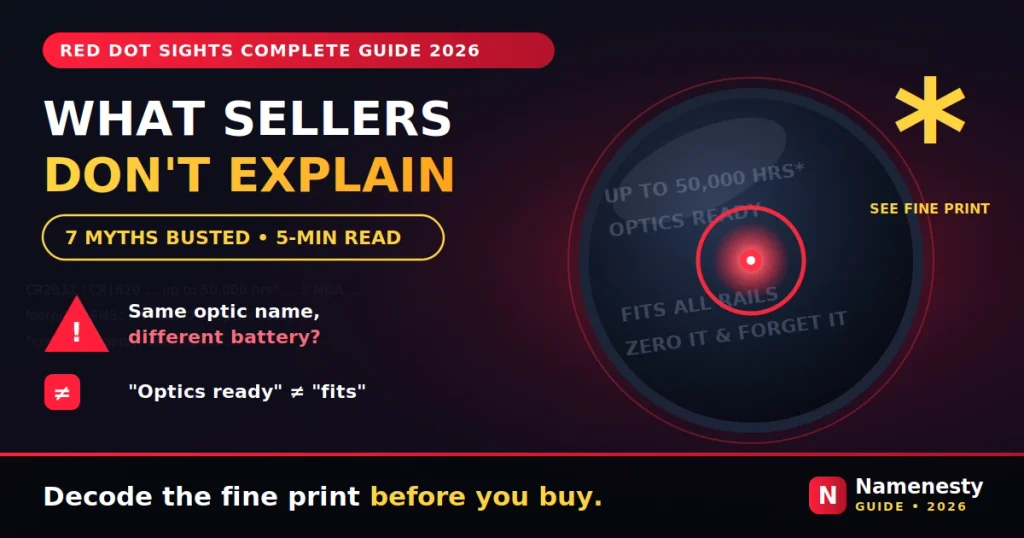
A statement such as “50,000 hours” should not automatically be interpreted as a universal guarantee that every buyer will receive exactly that runtime.
Battery life can depend on the specific model and the manufacturer’s stated operating conditions.
Holosun’s current EPS Carry RD-2 specification, for example, identifies a CR1620 battery and states 50,000 hours at brightness setting 6.
That’s much more informative than simply writing “50,000-hour battery life.”
What to check
| Battery specification | Question to ask |
| Battery type | Which exact cell does this model require? |
| Runtime | Under what stated setting or conditions? |
| Battery location | Is the battery accessible without removing the optic? |
| Power modes | Manual, automatic, motion activation or other systems? |
| Variant | Does the specification belong to the exact model being considered? |
| Documentation | Can the claim be verified on the manufacturer’s website? |
Exact-model verification matters
This is a major information-gain opportunity.
A product family can contain several variants with similar names but different batteries, reticles, and features.
Holosun’s current EPS Carry documentation demonstrates why exact-model verification matters: the published specifications identify the CR1620 battery and K footprint for the listed EPS Carry variants.
Read “up to” carefully
“Up to” means the manufacturer is stating a maximum or specified operating result.
It does not mean every operating scenario will necessarily produce that exact runtime.
That distinction should be preserved in responsible SEO content.
Red Dot Footprints Explained: RMR, RMSc, K Footprint and More
The word footprint describes the physical interface associated with an optic and its compatible mounting system.
This is one of the most important specifications to understand before assuming two products will work together.
Common footprint terminology
You may encounter terms such as:
- RMR
- RMRcc
- RMSc
- Holosun K
- ACRO
- other manufacturer-specific interfaces
These terms should not be treated as interchangeable names.
Why footprint confusion happens
Two optics can look similar while having different:
- screw-hole arrangements
- locating features
- mounting geometry
- adapter requirements
- physical dimensions
Trijicon’s own documentation provides an excellent example: it identifies products using the RMR footprint and separately documents mounting kits for particular optics-ready platforms.
The Holosun EPS Carry example
Holosun currently identifies the EPS Carry’s direct mount as a K footprint and separately states that an RMSc-to-K adapter plate is included.
That distinction is important:
Direct footprint ≠ included adapter footprint.
An adapter can expand compatibility, but it does not change what the optic’s native interface is.
Footprint checklist
Before purchasing an optic, verify:
| Check | Why it matters |
| Exact optic model | Product families can contain variants |
| Native footprint | Establishes the optic’s actual interface |
| Platform interface | Determines what the mounting surface accepts |
| Adapter requirement | Shows whether direct compatibility exists |
| Included hardware | Avoids assuming accessories are universal |
| Current manufacturer documentation | Prevents outdated compatibility information |
Never treat a third-party compatibility chart as more authoritative than the current manufacturer documentation.
How to Check Red Dot Sight Compatibility Before Buying
“Optics-ready” does not automatically mean “compatible with every red dot.”
This distinction saves buyers from one of the most common specification mistakes.
Start with the exact model
Do not start with:
“Does this gun support red dots?”
Start with:
“Which optic interfaces does this exact model support?”
Then compare that interface with the manufacturer’s documentation for the exact optic.
Compatibility is a chain.n
Think of compatibility as:
Platform → mounting interface → footprint → optic variant → hardware/adapter requirements
A mismatch anywhere in that chain can create a compatibility problem.
Why names can be misleading
Manufacturer product families evolve.
Mounting systems may change.
Adapters may be added.
Optic variants may use different interfaces.
Trijicon, for example, specifically notes cases where an RMR mounting kit is required for certain optics-ready platforms.
This is why an article should never claim universal compatibility based solely on a footprint name.
Best practice for content creators
When publishing a compatibility table, include:
- exact model
- exact platform
- native interface
- adapter requirement
- source URL
- date checked
That creates significantly more trust than a generic “fits most optics-ready platforms” statement.
Red Dot Astigmatism and Blurry Dots: What Should You Know?
One of the most searched questions around red dots is why the reticle may appear blurry, stretched, ed or star-shaped.
The important point is that reticle appearance can vary from person to person.
A blurry or distorted reticle does not automatically prove that:
- the optic is defective
- the brightness is wrong
- the reticle itself is poor
- a different color will definitely solve the problem
Why absolute claims are risky
Vision is individual.
Optical perception is also affected by environmental conditions, brightness, ess and the design of the optic.
That means statements such as:
“Green completely fixes astigmatism.”
are too strong.
A responsible article should distinguish possible preference from universal medical or optical certainty.
What about prism optics?
Prism optics are frequently discussed as an alternative because etched reticles can provide a different visual experience from an LED-only reticle.
But again, that should not be presented as a guaranteed medical solution.
If a reader has persistent vision concerns, the correct source for medical guidance is an appropriately qualified eye-care professional—not a product comparison article.
Red Dot vs. Green Dot: Is One Better for Your Eyes?
The word “red dot” describes the category, not necessarily the reticle color.
Manufacturers offer products with different illumination colors.
Holosun currently lists both red and green EPS Carry variants, with other configurations also appearing in its current catalog.
Red illumination
Red remains the most familiar option and is widely available across the market.
Green illumination
Green illumination is also available in many modern optics.
However, the existence of a green reticle does not prove that green is universally better for every person’s eyes.
Better comparison framework
Instead of asking:
“Which color is best?”
ask:
“Which color and reticle configuration is easiest for this individual to perceive clearly under the intended conditions?”
That is a more defensible and user-first framing.
What not to claim
Avoid:
- “Green fixes astigmatism.”
- “Red is bad for your eyes.”
- “Green is always brighter.”
- “Everyone sees green more clearly.”
These statements are too broad without appropriate evidence and individual context.
Red Dot Sight Durability, Waterproofing and Real-World Claims
Durability is another area where specifications can be misunderstood.
A manufacturer’s environmental rating is useful, but it is not a universal guarantee against every imaginable form of damage.
Look for measurable specifications.
Depending on the product, specifications may include:
- housing material
- water-resistance rating
- temperature range
- vibration rating
- impact-related design claims
- warranty terms
Holosun’s current EPS Carry specifications, for example, identify a 7075-T6 aluminum housing, IPX8 protection, and a stated vibration rating.
Trijicon likewise describes a specific housing design intended to divert impact forces away from the lens on its RMR Type 2.
Specification versus guarantee
A good article should never convert:
“Manufacturer reports X rating”
into:
“This optic can never fail.”
Those statements are not equivalent.
Why testing claims need evidence
A page should not say:
- “We torture-tested this optic”
unless the publisher actually did so.
It should not say:
- “This optic survived thousands of rounds”
without documented first-hand testing.
And it should not describe itself as “expert tested” if no such testing occurred.
Google specifically advises publishers to be transparent about authorship, expertise, and how product-review content was created.
Red Dot Sight Maintenance: What Owners Need to Know
Maintenance information should always be model-specific.
Different lens coatings, housings, and battery compartments may have different manufacturer recommendations.
General ownership principles
Readers should consult the product’s current manual for:
- approved cleaning methods
- battery specifications
- environmental limits
- storage recommendations
- warranty requirements
- inspection guidance
- service procedures
Do not replace manufacturer-specific instructions with a generic Internet cleaning recipe.
Why this matters for SEO content
Generic maintenance advice can sound authoritative while actually being too broad.
A better article explains:
“Follow the manufacturer’s instructions for this specific model.”
That is more trustworthy than pretending every optic uses identical materials and coatings.
Maintenance checklist
| Area | Verify |
| Lens | Manufacturer-approved cleaning guidance |
| Battery | Exact battery type |
| Housing | Manufacturer environmental guidance |
| Storage | Manual-specific recommendations |
| Warranty | Conditions and exclusions |
| Service | Official or qualified service options |
A helpful guide tells the reader where uncertainty begins instead of pretending it does not exist.
How Much Does a Red Dot Sight Really Cost to Own?
Purchase price is only one component of total cost.
A realistic ownership calculation can include:
Optic + compatible mounting components + batteries + accessories + service + replacement costs
Not every buyer needs every item, but the framework is useful.
Example ownership-cost framework
| Cost category | What to consider |
| Optic | Initial product price |
| Mount/interface | Required compatible components |
| Adapter | Only if necessary |
| Batteries | Required cell type and replacement frequency |
| Accessories | Protective or storage accessories where appropriate |
| Warranty | Coverage and exclusions |
| Service | Potential professional service costs |
| Replacement | Long-term replacement or upgrade costs |
Why the cheapest optic is not automatically the cheapest ownership choice
An inexpensive product requiring additional components can end up costing more than expected.
Conversely, a more expensive optic may include components that reduce additional purchases.
The comparison should therefore be based on total ownership cost, not only the product-page price.
A better buyer question
Instead of:
“What is the cheapest red dot?”
ask:
“What is the complete cost of owning the exact configuration I need?”
That question produces a more useful comparison.
Common Red Dot Sight Myths and Misleading Specifications
The fastest way to improve a red-dot article is to identify where common shorthand becomes misleading.
| Myth | More accurate explanation |
| Every red dot uses the same technology. | LED reflex, holographic,c and prism systems use different optical approaches. |
| A red dot always has a red reticle. | Current products are available with other illumination colors. |
| MOA means magnification. | MOA is an angular measurement; conventional red dots are generally 1×. |
| A larger MOA automatically means a better optic. | MOA describes reticle size, not complete optical performance. |
| An enclosed emitter cannot get obstructed. | Enclosure protects the emitter path, but the viewing surfaces remain exposed. |
| “50,000 hours” is a universal guarantee. | Battery specifications should be read alongside the model and stated operating conditions. |
| K footprint and RMSc are the same thing. | An optic can have a native K interface while including an RMSc-to-K adapter. |
| Every optics-ready platform accepts every red dot. | Actual compatibility depends on the specific interface and hardware. |
| Green illumination fixes astigmatism. | Individual visual response varies; avoid universal claims. |
| Waterproof means indestructible. | Water-resistance ratings are specific to the tested product and stated conditions. |
| A retailer specification is always correct. | Important specifications should be verified against current manufacturer documentation. |
| A product review can claim testing without evidence. | Testing claims should reflect genuine methodology and first-hand evidence. |
The strongest editorial principle here is simple:
When a specification matters, show readers how to verify it.
How to Choose the Right Red Dot Sight in 2026
A useful buying framework starts with requirements rather than brand names.
Step 1: Identify the technology
Determine whether the product is:
- LED reflex
- holographic
- prism-based
- another optical design
Do not assume every product marketed as a “red dot” uses the same mechanism.
Step 2: Identify the exact model
Product families often contain several variants.
Check the exact:
- reticle
- color
- battery
- footprint
- brightness system
- environmental rating
- included accessories
Step 3: Understand the reticle
Look beyond “red dot.”
Determine whether the model uses:
- single dot
- circle-dot
- multiple selectable reticles
- etched reticle
- another manufacturer-specific configuration
Step 4: Check the battery claim
Record:
battery type + stated runtime + test/setting information + battery location
Holosun’s current EPS Carry page illustrates how detailed this information can be when properly documented.
Step 5: Verify compatibility
Confirm:
platform interface → footprint → adapter → exact optic
Never assume.
Step 6: Consider visual preferences
Reticle size, color, brightness, and optical design can affect the viewing experience.
Do not treat another person’s preference as a universal rule.
Step 7: Compare ownership cost
Calculate more than the sticker price.
Step 8: Check manufacturer support
Review:
- warranty
- manuals
- official specifications
- replacement parts
- service information
The 30-second specification test
Before trusting an optic comparison, ask:
Is the exact model named?
Is the source current?
As Is the battery verified?
Is the native footprint identified?
Are claims separated from manufacturer specifications?
Does the writer distinguish facts from personal experience?
If the answer to several of these is “no,” the comparison deserves additional verification.
Shareable Takeaways for Social Media
Because this keyword is informational rather than a caption-search query, the most useful social content is educational micro-content, not 225 artificial caption variations.
These can be converted into Instagram, Facebook, Threads, Pinterest, or short-form video hooks without changing the article’s intent:
- “A red dot isn’t necessarily a red reticle.”
- “MOA describes angular size—not magnification.”
- “Red dot, holographic,c and prism optics are not the same technology.”
- “Always verify the exact model before copying a battery specification.”
- “An optics-ready platform does not automatically mean universal compatibility.”
- “A footprint name is only one part of compatibility.”
- “Battery life should always be read with its stated conditions.”
- “An enclosed emitter protects the emitter path, not every surface of the optic.”
- “A blurry dot is not enough to diagnose a vision problem.”
- “Green illumination is an option, not a universal solution.”
- “The product family name is not enough—check the exact variant.”
- “Purchase price is only one part of optic ownership cost.”
- “Manufacturer documentation should outrank recycled retailer specifications.”
- “A good specification table tells you where the information came from.”
- “The best buying guide teaches you how to verify the claim.”
Caption-Style Content Selection Framework
The same information can be repurposed differently across social platforms.
| Platform | Best format for this topic | Example content angle |
| Carousel | “7 red-dot specifications people misunderstand” | |
| Reels | Short explainer | “MOA explained in 30 seconds” |
| TikTok | Myth/reality | “3 red-dot specifications you should verify” |
| Educational post | “Red dot vs holographic vs prism explained” | |
| Threads | Short fact thread | “What does K footprint actually mean?” |
| Infographic | “Red Dot Sight Specification Cheat Sheet” | |
| YouTube Shorts | Visual terminology | “Open vs enclosed emitter” |
The social strategy should reinforce the article rather than create a different factual story.
People Also Ask
A red dot sight is generally a non-magnifying optical sight that uses an illuminated reticle. Many conventional red dots use LED reflex technology.
A conventional LED reflex sight uses an illuminated emitter and an optical system that makes the reticle visible within the viewing window.
Many conventional red dots are reflex sights, but “red dot” is also used as a broader consumer category. Checking the manufacturer’s stated optical technology is more precise.
They are often grouped in casual discussions, but holographic sights use a different optical technology from conventional LED reflex sights. EOTECH describes its HWS as using a holographic reticle illuminated by laser light.
MOA means minute of angle. On a red dot, the MOA value generally describes the angular size of the reticle.
No. Reticle size is only one specification. Optical clarity, brightness, reticle design, individual vision, and intended application also matter.
An enclosed emitter places the emitter’s optical path inside a protective housing rather than leaving it exposed.
A footprint refers to the physical mounting interface associated with an optic. It should be checked against the exact mounting interface and hardware available on the intended platform.
K is a mounting interface used by certain Holosun optics. For example, Holosun currently identifies the EPS Carry’s direct mount as K and includes an RMSc-to-K adapter with listed EPS Carry variants.
What Makes a Trustworthy Red Dot Guide?
A high-quality guide should make a clear distinction between three things:
Manufacturer fact
Example:
The manufacturer lists a CR1620 battery.
Editorial interpretation
Example:
The battery specification should be verified against the exact model before purchase.
First-hand experience
Example:
“Our tester used this optic for six months.”
That third statement should only appear when genuine documented testing occurred.
This distinction is especially important for product-related content.
Google recommends accurate content, clear authorship, meaningful original value, and transparency around how product-review material was produced.
For this reason, this article deliberately does not claim personal hands-on testing, laboratory testing, military experience, or professional firearms credentials that have not actually been established.
Final Takeaways
A trustworthy red dot guide should accomplish five things:
Explain the technology clearly.
Separate reflex, holographic, ic and prism optics accurately.
Teach readers how to read specifications rather than blindly repeat them.
Verify exact-model claims against primary manufacturer documentation.
Be transparent about what was researched versus personally tested.
The biggest opportunity for Namenesty is therefore not to publish the longest red-dot article on the web. It is to publish a guide that readers can audit, understand, and trust.
That is also the strongest alignment with Google’s people-first guidance: comprehensive information, original value, factual accuracy, useful explanations and a satisfying answer to the reader’s actual question.